
Did you know that in 2021 alone, millions of Facebook accounts were compromised, leaving users vulnerable to identity theft and privacy breaches? If you’re grappling with the unsettling reality of a hacked Facebook account, you’re not alone-and it’s essential to act swiftly. Understanding how to recover your account is crucial to protecting your personal information and restoring your online presence. This guide offers a comprehensive recovery action plan tailored to your needs, addressing common concerns and empowering you with the knowledge to reclaim your account. Whether it’s securing your profile or safeguarding your future digital interactions, read on to discover practical steps that will help you regain control and ensure your online safety.
What to Do Immediately After You Discover a Hacked Account
If you’ve just discovered that your Facebook account has been hacked, the first surge of emotions can be overwhelming – fear, anger, and confusion can cloud your judgment. However, taking immediate and strategic action is crucial to securing your digital life. The quicker you respond, the less damage may be inflicted on your account and your personal information. Here’s what you should do right away to regain control.
Start by attempting to log into your account. If you can access it, immediately change your password. Choose a strong, unique password that combines upper and lower case letters, numbers, and symbols. If you can’t gain access, don’t panic. Go to the Facebook login page and click on “Forgotten password?” Follow the on-screen instructions to regain access. You will likely need to confirm your identity through an email or phone number linked to your account.
Once you’re in, promptly review your account information. Check the email addresses and phone numbers associated with your account; hackers often add their own contact details to prevent you from retrieving your access. If you notice unfamiliar email addresses or phone numbers, remove them. Also, navigate to your account settings and check your login history. Look for any logins from unfamiliar devices or locations. This information can help you pinpoint how the breach occurred and reinforce your security protocols.
Next, start informing your friends about the situation. If a hacker has taken control of your account, they might misuse your account to send spam or phishing messages to your contacts. Let your friends know not to click on any suspicious links or messages originating from your account.
Additional Security Steps
To bolster your security immediately, check your active sessions and log out of any devices that you don’t recognize. Navigate to Settings > Security and Login, where you’ll find the option to see all devices logged into your account. Terminate any suspicious sessions right away.
Taking these decisive actions can help mitigate potential damage from a hacked account. Remember, the quicker you act, the better your chances of preserving your privacy and regaining control. Stay vigilant and proactive in securing your online presence!
Understanding the Signs of a Hacked Facebook Account
Recognizing the signs of a compromised Facebook account is crucial to addressing the issue promptly. Facebook accounts can be vulnerable to hacking for various reasons, including weak passwords, phishing attempts, and other security lapses. If you notice any unusual activity or alterations in your account, it’s critical to act swiftly to maintain your online safety.
Some common indicators that your Facebook account may have been hacked include:
- Unrecognized Login Activity: Check your Login History under settings to see if there are logins from devices or locations you don’t recognize. This could be a telltale sign that someone else is accessing your account.
- Altered Account Information: Are your profile details, such as your email address or phone number, changed? If you notice unfamiliar information, it’s likely a hacker has made alterations to gain control over your account.
- Messages or Posts You Didn’t Send: If friends report receiving strange messages from you or see posts on your timeline that you didn’t publish, it could indicate malicious activity. Hackers often misuse accounts to send spam or phishing attempts.
- Friend Requests and Activity: Receiving numerous friend requests or seeing odd interactions (like new friends or likes on posts) that you didn’t initiate can be a red flag.
- Unusual Password Change Requests: If you receive notifications from Facebook about password changes or recovery attempts that you didn’t initiate, you should investigate immediately.
Paying attention to these signs can help you detect unauthorized access early. For instance, if you’re alerted that someone logged in from an unusual location, you should act quickly, even if everything else seems normal. It’s better to be proactive than to risk exposure of personal information or loss of control over your account. Taking charge of your account’s security can feel overwhelming, but understanding these signs allows you to navigate Facebook’s often complex landscape with greater confidence.
If any of these signs resonate with your current situation, don’t hesitate to follow the necessary recovery steps. Your online safety is paramount, and the sooner you act, the better your chances of regaining control and protecting your information from further risks. Stay engaged and informed about potential threats to fortify your security on the platform.
Step-by-Step Guide to Recover Your Hacked Account
If you discover that your Facebook account has been hacked, taking immediate action is crucial to reclaiming your online identity and protecting your personal information. The recovery process, while sometimes complex, can be navigated step-by-step to regain control. Here’s how to do it effectively and confidently.
Start by visiting the Facebook login page. If you can still access your account, begin by changing your password right away. Choose a strong and unique password that combines uppercase and lowercase letters, numbers, and symbols. After changing your password, head to the Security and Login section in your account settings. Here, review the Where You’re Logged In section to identify any unfamiliar devices or locations. If you see anything suspicious, select the option to log out of those sessions. This minimizes the risk of the hacker maintaining access.
If you’re unable to log in because the hacker has changed your password or email address, don’t panic. Click on Forgot Password? on the login page. Enter your original email or phone number associated with the account, and follow the prompts. Facebook will help verify your identity through a code sent to your registered email or phone. If you still can’t access your account due to the hacker unlinking your email, you can regain access by answering security questions or providing identification.
After you successfully regain control, it’s vital to strengthen your account’s security. Immediately navigate to the Security and Login settings again, and check if your email or phone number has been altered. If they’ve been changed, update them back to your correct contact information. Additionally, review your recent login activity for further signs of unauthorized access.
You should also take this opportunity to educate yourself on Facebook’s security features. Consider enabling Two-Factor Authentication (2FA), which adds an extra layer of protection by requiring a code from your phone or a security key at each login attempt. Lastly, run through your privacy settings to ensure your information is secure and only shared with trusted friends and family.
By following these recovery steps, you not only reclaim your account but also empower yourself with the knowledge to maintain a safer online presence in the future. Stay vigilant, and remember that securing your Facebook account is an ongoing process that requires regular updates and monitoring.
How to Secure Your Account After Recovery
Recovering your Facebook account from hacking is just the first step; securing it for the future is equally vital. A recently hacked account can feel like a violation of privacy, and understanding how to fortify your defenses can provide peace of mind. Here are some practical steps to enhance your account’s security now that you’ve regained access.
Change Your Password Securely
One of the most effective ways to secure your Facebook account is to change your password again, even if you think the current one is safe. Choose a strong, unique password that is different from those used for other accounts. An ideal password should be at least 12 characters long, combining uppercase letters, lowercase letters, numbers, and special symbols. Tools such as password managers can help generate and store complex passwords securely, reducing the chance of reusing or forgetting them.
Review and Update Security Settings
After adjusting your password, delve into Facebook’s security settings. Go to the Security and Login section in your account settings. Here’s what you should specifically look for:
- Where You’re Logged In: Review all active sessions. If you notice unfamiliar devices or locations, log them out immediately.
- Login Alerts: Enable notifications that alert you whenever someone attempts to access your account from an unknown device or browser.
- Trusted Contacts: Consider setting up trusted contacts. This feature allows friends to help you regain access to your account if needed.
Enable Two-Factor Authentication (2FA)
Adding an additional layer of security is essential. By enabling Two-Factor Authentication (2FA), you will require a verification code sent to your mobile device in addition to your password when logging in. This drastically reduces the chances of unauthorized access even if your password is compromised. To set this up, navigate to the Security and Login section, find the Use Two-Factor Authentication setting, and follow the prompts to link your phone number or use an authentication app.
Conduct a Privacy Audit
It’s time to revisit your privacy settings to determine who can see your posts and personal information. Go to the privacy settings and make appropriate adjustments. You can set your posts to ‘Friends’ instead of ‘Public’ and limit who can send you friend requests or follow you. Be proactive about reviewing your profile’s visibility to ensure you are sharing your information only with trustworthy connections.
By implementing these strategies, not only will you secure your Facebook account after recovery, but you will also enhance your overall online safety stance. Stay vigilant, regularly review your settings, and keep your contact information updated to ensure seamless recovery in case of future incidents. Remember, security is an ongoing process that requires continual attention and updates.
Protecting Your Privacy: Adjusting Facebook Settings
It’s alarming how easily personal information can be exposed on social media platforms, particularly after experiencing a hacking incident. With Facebook being a hub for personal connections and sensitive data, ensuring your privacy settings are properly configured is a crucial step towards safeguarding your information. By making informed adjustments, you can take control of who sees what on your profile and protect your online presence effectively.
To start, navigate to your Privacy Settings by clicking on the downward-facing arrow in the top right corner of your Facebook page and selecting Settings & Privacy, followed by Settings. Here are several key adjustments you should consider to enhance your privacy:
- Limit Profile Visibility: Adjust your settings under the Who can see your future posts? section. Opt for ‘Friends’ instead of ‘Public’ to ensure only your known contacts can view your updates.
- Review Past Posts: Take advantage of the Limit Past Posts option to change the visibility of your previous updates to ‘Friends’ only, ensuring you aren’t inadvertently sharing old content with a broader audience.
- Who Can Send Friend Requests: In the Who can contact me? section, set the option to ‘Friends of friends’ or ‘Friends’ to restrict unsolicited contact from strangers.
- Profile Information Control: Review the sections under Your Activity where you can customize who sees your friends list, follows, and other personal details. Limit it to either ‘Only Me’ or ‘Friends’ where applicable.
Furthermore, diving into the Timeline and Tagging settings allows you to manage how others can interact with your profile. Enable the option to Review posts you’re tagged in before they appear on your timeline. This feature gives you control over what gets displayed publicly, allowing you to keep unapproved content at bay.
Regularly updating your privacy settings to keep pace with Facebook’s evolving features will help mitigate risks. Consider conducting a privacy audit biannually, revisiting your friends list and ensuring only those you trust remain connected to your profile. Implementing these techniques not only shields your personal information but also fosters a safer social networking experience. Stay proactive, vigilant, and informed about your privacy – it’s your right to safeguard your online interactions.
Enabling Two-Factor Authentication for Extra Security
To fortify your Facebook account against unauthorized access, enabling two-factor authentication (2FA) is a crucial step you should not overlook. By implementing 2FA, you add an extra layer of security that goes beyond just your password. Even if someone manages to acquire your password, they would still need access to a second factor-typically a code sent to your mobile device or a generated code from an authentication app-to gain entry.
Here’s how you can enable this invaluable feature and secure your Facebook account:
Step-by-Step Guide to Enable Two-Factor Authentication
- Access Your Settings: Start by clicking on the downward-facing arrow in the top right corner of your Facebook page and selecting Settings & Privacy, followed by Settings.
- Find Security Settings: In the left-hand column, click on Security and Login. This will take you to a section dedicated to keeping your account safe.
- Turn On Two-Factor Authentication: Look for the section titled Two-Factor Authentication and click on Edit next to it. You will see options to set up 2FA.
- Choose Your Method: You have a choice between receiving text messages (SMS) or using an authentication app like Google Authenticator or Authy. Both methods are secure, but using an authentication app is generally recommended for better security.
– If you opt for SMS, enter your mobile number and click on Continue. Facebook will send you a code via text. Enter the code you received to verify your phone number.
– If you choose an authentication app, select that option, and follow the prompts to scan the QR code with your app, which will start generating codes for your Facebook account.
- Save Your Changes: After successfully verifying your method, click on Turn On to enable 2FA fully. It’s also advisable to save a backup code, provided during this setup, in case you get locked out of your usual authentication method.
By taking this proactive approach, you turn your Facebook account into a fortress, making it significantly more challenging for hackers to gain unauthorized access. Always remember, the more layers of defense you have, the harder it becomes for intruders. Additionally, regular monitoring of account activity can help you stay one step ahead of potential threats.
Beyond the Basics: Monitoring Your Security
Keep in mind that even with two-factor authentication enabled, awareness is key. Regularly review your Security and Login settings to check for any unauthorized logins or devices that appear familiar. Cultivating this vigilance will further bolster your Facebook security efforts, ensuring your personal information remains protected.
Identifying and Reporting Suspicious Activity
Once you’ve ensured your account is secure, staying vigilant by identifying and reporting any suspicious activity is crucial. Facebook is a vast platform where unusual behaviors can sometimes go unnoticed. Detecting these early can be the key to preventing further damage to your account or personal information.
So, how can you recognize suspicious activity? Start by paying attention to your account’s activity log. This feature provides a detailed overview of everything happening on your account, from posts you’ve liked to changes in settings. To access it, click on the downward arrow at the top right of your Facebook page, select Settings & Privacy, then Activity Log. Look for any actions you don’t recognize, such as messages sent from your account, friend requests sent to unfamiliar people, or posts made that you didn’t authorize. Regularly reviewing this log will help you spot any discrepancies even if they occur after you’ve regained access to your account.
Additionally, keep an eye on your notifications. If you receive alerts about logins from unrecognized devices or locations, this is a significant red flag. Facebook usually sends these notifications when an access attempt is made from another device or geographical area. If you see notifications that you did not initiate, it’s time to act. Use the “Did you allow this?” option to secure your account immediately.
What to Do If You Spot Suspicious Activity
If you have identified any suspicious activity on your account, follow these steps to report it effectively:
- Change Your Password: Quickly reset your password using a strong, unique one. If you’ve been logged out, you may need to go through the recovery process.
- Report the Activity: Navigate to the suspicious content, post, or message. Click on the three dots in the top right corner and select Report. Facebook can review misuse and take action, including temporarily suspending the offending account.
- Secure Your Account: Access the Security and Login section to review devices that have recently logged into your account. Remove any that you do not recognize and log out of any devices that you no longer use.
- Notify Friends or Family: If malicious messages were sent or fake friend requests were made, consider reaching out to those affected, letting them know they should ignore any communications that may have come from your account during the disturbance.
Maintaining clear communication with your social circle about a potential breach can mitigate the risk of your friends falling victim to scams. Remember, keeping your account secure is a continuous process that requires you to stay informed of any unusual activities and respond quickly. Empower yourself by leveraging Facebook’s built-in security features and reporting mechanisms to safeguard your account against future threats.
Reclaiming Access to Unlinked Email or Phone Number
Losing access to your Facebook account can be particularly distressing, especially if it’s linked to an unmonitored email address or phone number. If your account has been hacked and you’re unable to access these recovery methods, fear not; there are steps you can take to reclaim your account and ensure your security.
To begin the recovery process, head over to Facebook’s recovery page. Here, you’ll be prompted to enter your account’s name or the phone number linked to your Facebook. If you’ve already lost access to those, click on “No longer have access to these?” to initiate a recovery sequence that does not require the email or phone number associated with your account. This can lead you to identity verification questions or allow you to specify a new email or phone number for recovery purposes.
Steps to Reclaim Access
- Provide Identification: In the recovery form, you may need to submit a government-issued ID or another form of identification. Facebook will review this and respond to your request, so ensure that the name on the ID matches the one on your Facebook account.
- Use Trusted Contacts: If you set up Trusted Contacts before losing access, you can request help from those friends. Go to Facebook’s recovery options and select “Get help from friends.” Follow the prompts to send codes to your chosen contacts who can then provide those to you to regain access.
- Answer Security Questions: If you had set up security questions on your account, attempt to answer these as correctly as possible. Be honest and thorough-this step is crucial for verifying your identity.
- Consider Appeal Options: If your account is deemed impersonated or hacked, after following the steps, you might have the option to appeal the decision if Facebook doesn’t grant you access initially. Check your email for updates from Facebook regarding your appeal.
Once you regain access, take this opportunity to immediately update your account settings. Remove any unfamiliar email addresses and replace them with a trusted one that only you have access to, and consider adding a recovery phone number that you commonly use. This action not only secures your current access but serves as a safety net should you encounter any future issues.
Maintaining a proactive approach is essential. Regularly check your account credentials, enable alerts for new logins, and ensure two-factor authentication is activated. By doing so, you enhance your account’s security and significantly reduce the chances of falling victim to similar breaches in the future. With persistence and the right steps, reclaiming your Facebook account-and your peace of mind-is well within your reach.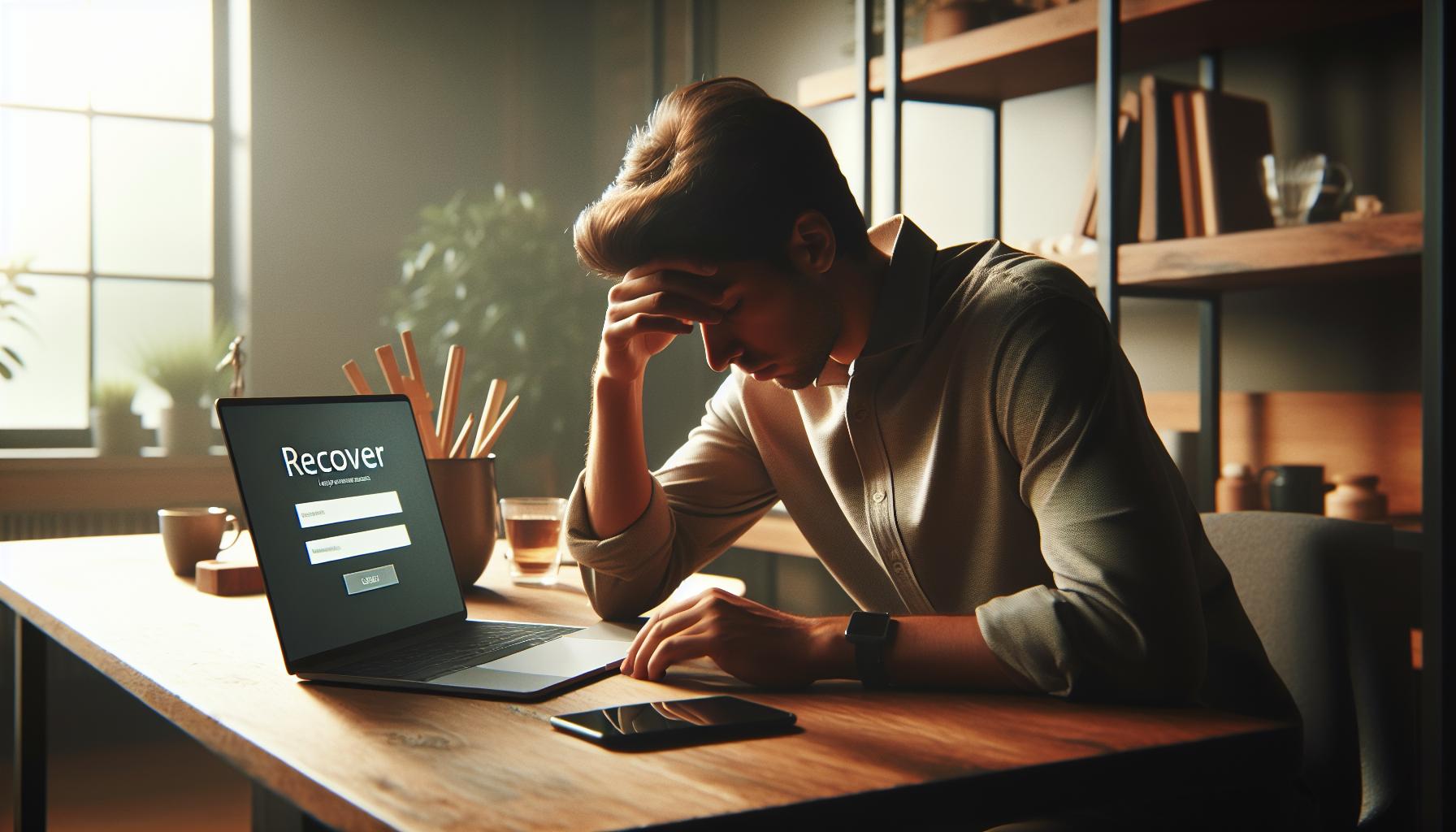
What to Do if You Can’t Recover Your Account
Discovering that your Facebook account remains unrecoverable can be an incredibly frustrating experience. Even when following all the recovery steps, sometimes users find themselves still locked out. If you’re in this situation, it’s important to know that you’re not alone and there are still paths you can explore to reclaim your digital identity.
First, consider the possibility of checking for any direct communications from Facebook. Occasionally, Facebook may reach out via email or notifications about your account status, especially if they detected unusual activity. Look for messages that may provide insights into why your account access was denied or how to proceed. If you notice an option to appeal or respond to any flagged actions, take it as this may open up another chance for you.
Alternative Steps to Explore
- Review Recovery Options: If you haven’t already, revisit the Facebook Help Center. They frequently update their recovery options based on user feedback and security enhancements. Browsing through the help articles can reveal new avenues or steps that may have been overlooked.
- Create a New Account: In cases where recovery proves impossible, a last resort could be creating a new account. While this is not an ideal solution, it can allow you to stay connected with friends and family. Be sure to inform your contacts of your new account to prevent confusion.
- Stay Vigilant with Security: If your account was hacked, it’s critical to ensure that the hacker hasn’t compromised any other accounts tied to your identity. Change passwords for your email and any other social media accounts. Implementing stronger security measures across all your online profiles will help safeguard your personal information.
- Seek Support from Facebook Community: Consider reaching out to Facebook’s community forums. Other users may have faced similar situations and can share their successful recovery stories or tips that might assist you.
Additionally, documenting the attempts you made to recover your account can bolster any appeal to Facebook if available. Keep an eye on your email for any communications from Facebook regarding your situation, particularly if you’ve requested reviews or additional information. Frustrating as it may be, persistence is key. Stay patient and proactive while exploring every available option, keeping your online security at the forefront of your efforts.
Educating Yourself About Common Hacking Techniques
One of the most effective ways to protect your Facebook account from hacking is to educate yourself about the common techniques that cybercriminals use. Understanding these methods not only helps you recognize potential threats but also empowers you to take proactive measures to guard your digital presence.
Phishing is perhaps the most prevalent tactic hackers employ to gain unauthorized access to accounts. This often occurs through fraudulent emails or messages that appear to be from Facebook or other trusted sources. For instance, a hacker might send an email urging you to click on a link to verify your account, which leads you to a fake login page. It’s crucial to be skeptical of unsolicited communications and verify the sender’s legitimacy. Always navigate to Facebook by typing the URL directly into your browser or using the official app instead of clicking links from emails.
Another common approach is through password cracking, where hackers use various methods, including brute-force attacks, to guess a user’s password. If you often use simple or common passwords, consider making a drastic change by creating complex passwords that include a mix of letters, numbers, and special characters. Tools like password managers can help you generate and store robust passwords securely, minimizing the risk of your accounts being compromised.
Hacked accounts can also occur due to social engineering, where attackers manipulate individuals into divulging personal information. For example, they may impersonate a friend or support agent, claiming urgent issues requiring immediate action. Always verify the identity of individuals requesting sensitive information, especially when it pertains to account recovery or security.
To further safeguard your account, familiarize yourself with key security features on Facebook. Regularly review your login activity by going to “Settings” > “Security and Login” to spot any unrecognized access. Additionally, utilize features like Login Alerts, which notify you when a new device accesses your account.
By equipping yourself with knowledge and vigilance regarding these common hacking techniques, you significantly reduce your risk of falling victim to scams. The key is to stay informed about the tactics used by hackers and take practical steps to shield your online presence.
Best Practices for Future Facebook Account Security
It’s essential to prioritize your online safety, especially when navigating a platform as expansive as Facebook. Each year, countless users find themselves the victims of hacks or unauthorized access, often due to overlooked security measures. To shield your account and maintain your digital integrity, committing to a set of best practices can make all the difference. Here are some strategies to enhance your Facebook account security moving forward.
Regularly Update Your Password
Your password serves as the first line of defense against unauthorized access. It’s advisable to change your password every few months and ensure it’s robust. Utilize a combination of uppercase and lowercase letters, numbers, and special characters to create a complex password. For even greater security, consider a phrase that’s meaningful to you rather than a simple word. Password managers can assist in generating and remembering these intricate passwords, protecting you from the fatigue of trying to recall multiple login credentials.
Be Cautious with Third-Party App Permissions
Many third-party applications wish to link with your Facebook account for various conveniences. However, each permission you grant can potentially expose your data. Regularly audit the apps connected to your account by visiting Settings > Apps and Websites. Remove any applications that you no longer use or those that seem dubious. Always read through the permissions requested by new apps, and consider alternatives that prioritize privacy.
Utilize Privacy Settings
Adjusting your privacy settings on Facebook can significantly limit your exposure to potential threats. Navigate to Settings > Privacy and customize who can see your posts, send you friend requests, and look you up using your email or phone number. Personalizing these settings can help safeguard your profile from unwanted attention or malicious actors.
Stay Informed About Security Updates
Tech companies are continuously enhancing their security features. Keep yourself informed about the latest updates from Facebook regarding security measures. Follow their official blog or security pages to learn about new tools that can better protect your account. For instance, being aware of updates related to Two-Factor Authentication or enhancements to login alerts will enable you to implement them as soon as they are available.
By adopting these proactive behaviors, you empower yourself and mitigate the risk of future hacks. Your Facebook experience can be enjoyable and safe when you remain vigilant about protecting your online presence. Remember, being aware and making small changes to your account settings can create a secure environment for your digital interactions.
FAQ
Q: What should I do if my Facebook account is hacked and I can’t access my email?
A: If you can’t access your email, go to the Facebook recovery page and select “No longer have access to these?” during the recovery process. Follow the prompts to answer security questions or identify friends. If you’re unable to recover it this way, check Instagram or any linked accounts for recovery options. For detailed steps on recovery, see our guide on reclaiming access to unlinked email or phone number.
Q: How can I identify if my Facebook account has been hacked?
A: Look for unexpected changes such as unfamiliar posts, messages sent from your account, or changes to your profile information. Additionally, check your login history in the Security and Login settings for unfamiliar devices or locations. For more signs, refer to our section on understanding the signs of a hacked Facebook account.
Q: Can I recover my Facebook account after it has been hacked if I can’t remember my password?
A: Yes, you can recover your account using the “Forgot Password?” option on the login page. Enter your account details, and follow the prompts to reset your password via recovery options like mobile number or trusted contacts. For a complete recovery process, check our step-by-step guide.
Q: Why is two-factor authentication important for Facebook account security?
A: Two-factor authentication (2FA) adds an extra layer of security by requiring a code sent to your mobile device in addition to your password. This makes it harder for hackers to access your account, even if they have your password. Learn how to enable this feature in our section on securing your account after recovery.
Q: What steps should I take to prevent future hacks on my Facebook account?
A: To prevent future hacks, use a strong, unique password, enable two-factor authentication, regularly review your account activity, and stay alert for phishing attempts. For a complete overview of best practices, check our section on protecting your privacy and account security.
Q: How long does it take to recover a hacked Facebook account?
A: The recovery process timeframe can vary but generally, you can regain access within a few hours to a couple of days, depending on the complexity of the issue and the recovery methods used. For tips on expediting recovery, refer to our comprehensive recovery action plan.
Q: How can I report a hacked account on Facebook?
A: You can report a hacked account directly via Facebook’s Help Center by selecting “Hacked Accounts.” Follow the prompts to specify the issue and provide necessary information. For additional guidance on reporting suspicious activity, visit our section on identifying and reporting suspicious activity.
Q: What should I do if I suspect someone is using my Facebook account without permission?
A: If you suspect unauthorized access, immediately change your password and check your account settings for any unfamiliar changes. Review your login history for unknown devices. For more detailed actions, refer to our information on immediate steps after discovering a hacked account.
The Conclusion
Now that you’ve learned how to recover your hacked Facebook account with our detailed action plan, it’s time to take control of your online security. Remember, swift action is crucial-secure your account today to prevent any unauthorized access or further issues. If you still have concerns, consider checking out our related guides on enhancing your Facebook privacy settings and understanding two-factor authentication.
Don’t forget to subscribe to our newsletter for the latest tips on keeping your social media accounts safe and maximizing your online presence. We’re here to empower you-share your experiences or ask questions in the comments below; your insights could help fellow users navigate their challenges too! By staying informed and proactive, you’re not just protecting your Facebook account but also enhancing your overall digital security. Explore our resources to ensure you’re equipped with the best practices to stay safe online.


