
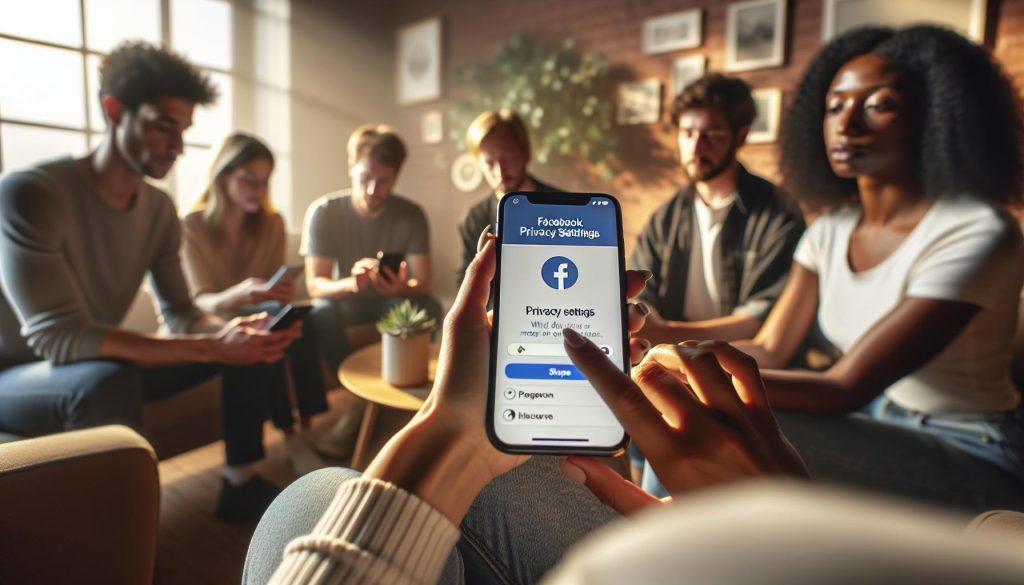
Did you know that nearly 500 million people use Facebook Stories daily? As fun and engaging as these short clips can be, many users often feel uncertain about who sees their content and how to safeguard their privacy. Understanding what “Others” means in your Friends List when posting a Facebook Story is crucial in protecting your personal space online.
With constantly evolving privacy settings and unfamiliar lingo, it’s easy to feel overwhelmed. You’re not alone in wanting to take control of who sees your posts, and your concern is valid-especially as social media continues to weave itself into our daily lives. The good news is that navigating these privacy settings doesn’t have to be a daunting task. By understanding your options, you can confidently share moments without the worry of unwanted viewers. Keep reading to uncover essential tips and step-by-step guidelines to master your Facebook Story privacy settings, ensuring that you can enjoy a more secure and personalized social media experience.
What Does “Others” Mean on Facebook Stories?

In the expansive world of Facebook Stories, users often encounter the term “Others” when reviewing who has viewed their posts. This designation can spark curiosity and sometimes concern about privacy. In essence, “Others” refers to individuals who are not directly connected with you on Facebook-those who are outside your friends list or of whom you might not be aware. It highlights the platform’s unique social dynamics, where the potential for discovery and connection is vast, yet can sometimes feel overwhelming.
Understanding the implications of this “Others” category is vital for users concerned about privacy and audience control. When you share a Facebook Story with a public setting, anyone on the platform-friends of friends, or even users outside your immediate social circle-may have access to it. These unexpected viewers can originate from a variety of indirect interactions, such as mutual groups, events, or posts where they may have been tagged or otherwise engaged with your content. This potential for expanded visibility can lead to increased engagement, but it also raises important questions about personal security and comfort.
For those looking to manage who sees their Stories, particularly concerning this “Others” group, it is crucial to explore Facebook’s privacy settings. By adjusting the audience settings for your Stories, you can effectively control whether your content is only shared with friends, a selected group, or made public. Tailoring these settings not only enhances your privacy but also empowers you to curate your social interactions in a manner that aligns with your comfort level.
To navigate this process seamlessly, familiarize yourself with the available audience options on Facebook. You can choose from settings such as “Friends,” “Friends except…,” or create custom lists that limit visibility to specific individuals. Being proactive about these choices helps ensure that your digital footprint on Facebook remains manageable and reflects your desired level of privacy, while still fostering connections with those you wish to engage with. Armed with the right knowledge, you can feel more at ease sharing your Stories and interacting on the platform.
Understanding Facebook Story Privacy Settings
In an age where social media connectivity is both a boon and a potential privacy concern, understanding how to navigate Facebook’s privacy settings can empower users to control their online presence effectively. As users share moments through Facebook Stories, they are faced with choices that can directly impact who sees their content. Having a firm grasp of these privacy settings is essential not only for personal comfort but also for fostering secure and meaningful interactions online.
Privacy Settings at a Glance
Facebook provides a range of privacy settings for Stories, allowing users to dictate the audience that can view their content. To manage these settings:
- Friends: Only your confirmed friends on Facebook will see your Stories.
- Friends except…: This option allows you to exclude specific friends from viewing your Stories, providing a tailored experience.
- Custom audiences: Create a custom list to share your Stories with select people, maintaining both privacy and engagement.
- Public: Choose this option if you want anyone, including those not on your friends list, to see your Stories.
Navigating these options can feel daunting, especially for those who are not tech-savvy. However, adjusting these settings is a straightforward process that can significantly influence your Facebook experience. You can access these settings when creating a Story by tapping on the audience selector-typically represented by a little icon or dropdown menu-before you publish your content.
Tips for Effective Privacy Management
To ensure that your Stories reflect your comfort level and privacy preferences, consider the following best practices:
- Regularly Review Your Settings: Periodically check your privacy settings to adapt to changing friend circles or in responses to events in your life.
- Create Lists for Close Connections: If you often share more personal content, consider organizing friends into custom lists for more precise control over who sees particular Stories.
- Evaluate Your Audience at Sharing Time: Before posting, take a moment to reconsider who you want to share that moment with-opting for a more restricted audience can be beneficial in maintaining your privacy.
- Stay Informed About Changes: Facebook updates its features frequently, so staying informed about changes to privacy settings will help you manage your audience effectively.
These steps not only enhance your security online but also help maintain a comfortable and engaging social media experience. Just remember, by customizing your audience for Stories, you are reclaiming agency over your social platform, making it a space that reflects you and your preferences.
Who Can See Your Facebook Stories?
The visibility of your Facebook Stories can have a significant impact on how your content is perceived by your friends and followers. When you share a Story, understanding “who can see it” is crucial for your comfort and privacy. Facebook provides multiple audience selection options, which allow users to curate who gets to view their Moments. Your Stories could either be a personal narrative shared among close friends, or they could encapsulate moments meant for a wider audience; the choice is ultimately yours.
When creating a Story, the audience you select plays a pivotal role. With options ranging from Friends only to Public, you can tailor your audience based on your comfort level. If your Story encapsulates intimate moments, opting for Friends only ensures that only those you personally know can view it. Conversely, if you’re promoting a business event or sharing a noteworthy achievement, going Public expands your reach to anyone on Facebook, even those not in your friend list.
For tailored sharing, the Friends except… feature can be a game changer. This allows you to exclude specific friends from seeing your Story, giving you the flexibility to share content that might not resonate with everyone. If you have distinct groups of friends-like work colleagues, family, or childhood acquaintances-this function can help maintain the appropriate boundaries without needing to change your settings each time you post.
In addition to these options, Facebook’s Custom audiences feature offers even more refined control. By creating personalized lists, you can share your Stories with select individuals. This is especially useful for users who wish to keep certain content private from the general friend circle while still engaging with specific followers. Engaging carefully with your audience settings not only helps manage who sees your uploads but empowers you to share your experiences without sacrificing your privacy.
When sharing, always remember to consider not just the content of your Story but also its potential impact. Some stories may inadvertently disclose too much, depending on their audience. Regularly reviewing who can see your Stories and adjusting settings accordingly helps you maintain the desired level of privacy and engagement. By being proactive about your audience choices, you ensure that each post shares your intended message while safeguarding your personal information.
How to Control “Others” Visibility on Your Stories

Controlling who sees your Facebook Stories is essential for maintaining your privacy while sharing personal moments or engaging your audience. If you’ve ever wondered about the meaning of “Others” in your Story views, it typically refers to people who are not on your friends list but may have stumbled upon your content. This insight can help you navigate your sharing experience on the platform more effectively. Here’s how to manage your audience visibility to keep your Stories tailored just the way you want.
Adjusting Your Audience Settings
To manage “Others” visibility, your first step is to adjust your audience settings for each Story you create. When posting a Story, you will find an option for audience selection, typically indicated by a small icon or button. Here’s how to customize it:
- Open the Camera: Click on your Story icon at the top of your News Feed and select the camera to start creating a Story.
- Create Your Story: Take a photo, record a video, or upload existing media.
- Choose Your Audience: Before posting, look for the audience selector, usually labeled “Friends,” “Public,” or showing a gear icon for more options.
- Select the Right Option: Choose from:
– Friends: Only your confirmed friends can view your Story.
– Public: Everyone, including those not on your friend list, can see your Story.
– Friends except…: Exclude specific friends from seeing your Story.
– Custom: Select specific friends or lists to decide who can see your content.
By selecting the appropriate audience, you directly influence who can view your Stories-mitigating the chance that “Others” might come across content meant for a smaller circle.
Utilizing Custom Audiences
For more granular control, leverage the Custom audience feature. This is particularly useful if you have diverse friend groups and want to share different content with each. For example, if you’re celebrating a promotion, you might only want coworkers to see that Story. Here’s how to set up a Custom audience:
- Access Your Settings: Go to your Facebook profile, tap on the menu, and select “Settings & Privacy.”
- Navigate to Stories: Find the Stories settings section to access audience preferences.
- Create Lists: Set up lists based on your connections (e.g., work, family, friends).
- Apply Custom Lists When Posting: When posting a Story, choose the Custom option and select the relevant list from your saved groups.
By investing a little time in organizing your audiences, you can improve your experience-allowing you to confidently share moments without the worry of unwanted viewers.
Regularly Review Your Settings
Lastly, it can be easy to forget about your privacy settings over time. Regularly revisiting these settings is a best practice. Each time you add new friends or join groups, evaluate your audience settings to ensure they align with your current preferences.
Using these steps, you can effectively manage who sees your Facebook Stories and maintain the balance between sharing and privacy. You’ll feel more empowered sharing your experiences, knowing you have control over who gets glimpses into your life, thereby reducing the potential anxieties associated with “Others” viewing your content.
Differences Between Public and Friends-Only Stories

Sharing your moments on Facebook Stories is a popular way to connect with friends and family, but choosing the right audience can significantly impact how your posts are received. Understanding the differences between making your Stories public and restricting them to friends is essential for managing your privacy and engagement levels.
When you set your Story to public, anyone on or off Facebook can see your content. This means not only your friends-which may include people you’ve met through mutual acquaintances-but also strangers who encounter your profile, search your name, or see your posts shared by others. For public posts, you might gain a broader audience, leading to increased engagement, likes, and comments, but it also opens the door for unwanted viewers. This setting is perfect for those who are building a brand, showcasing their artistic ventures, or sharing public events, where visibility is crucial.
On the other hand, friends-only Stories are exclusively for your confirmed friends on Facebook. Limiting your audience to this group means you can share personal moments, intimate celebrations, or candid thoughts without the concern of them being viewed by unknown individuals. This setting offers a more secure space for authentic connections, allowing for a level of comfort that public visibility does not provide. For example, if you share a family gathering or a private milestone, keeping these Stories among friends helps maintain intimacy and control over your shared experiences.
Key Considerations When Choosing Your Audience
- Engagement vs. Privacy: Public Stories may lead to greater visibility and interaction, but they can compromise your privacy. Friends-only posts allow more genuine connections but may reduce the overall engagement potential.
- Content Type: Reflect on your content before deciding on the audience. If your stories are more personal, opt for friends-only. If you’re sharing insights on a public topic or promoting an event, the public setting might be more appropriate.
- Review Audience Regularly: As your network grows, periodically review who has access to your Stories to ensure your privacy preferences align with your current connections.
By weighing these factors, you can navigate Facebook’s audience options with confidence. Tailoring your privacy settings ensures you share your experiences meaningfully and securely, reducing any anxieties around who may fall under the “Others” category when viewing your content. The choice between public and friends-only is not just a matter of preference but a strategic decision that affects how you engage with your digital community.
Customizing Your Audience for Facebook Stories

When it comes to sharing your moments on Facebook Stories, customizing your audience can enhance both your privacy and engagement. Many users are surprised to discover that they have granular control over who can see their stories, allowing for a tailored experience that meets their specific needs. By strategically selecting your audience, you can ensure that your content reaches the right eyes while keeping unwanted viewers at bay.
To customize your audience for your Facebook Stories, start by tapping on the “Create Story” section. Once you’ve chosen your content-be it a photo, video, or text-look for the audience selector tool, which usually appears as a small icon prior to posting. This feature lets you choose from predefined settings such as “Public,” “Friends,” or “Friends except…” where you can exclude certain individuals from viewing your post.
For even finer control, consider using the “Custom” option. Here, you can manually select specific friends or lists to share your stories with, ensuring that only those you trust or want to engage with will see your shared moments. This is especially useful when sharing sensitive or personal content, such as family gatherings or private celebrations. You can also create friend lists in your Facebook settings, allowing you to manage audience visibility easily across multiple stories without needing to select individuals each time.
Key Steps to Customize Your Audience
- Access the audience selector: When creating your Story, tap on the audience icon near the bottom of the screen.
- Select your audience: Choose from options like “Public,” “Friends,” or “Custom” to refine who can see your Story.
- Create friend lists: In your settings, you can create lists (e.g., Close Friends, Family) that you can use for quick audience selection.
- Review your selections: Double-check your audience choice before posting to avoid unintended viewers.
Remember, regularly reviewing and adjusting your audience settings is a smart practice, especially as your friend list or social circles change. Facebook’s options can seem overwhelming, but think of them as tools for enhancing your storytelling experience. By taking a proactive approach to managing who sees your Stories, you foster a safe space for sharing, which can lead to deeper connections and greater confidence in your interactions on the platform.
Implications of the “Others” View on Engagement

Understanding how your audience perceives your Facebook Stories is crucial to maximizing engagement and fostering a meaningful connection with viewers. When you notice that “Others” appear in the visibility settings for your Stories, this indicates that posts can be seen by users who aren’t on your friends list or those who fall outside your selected audience. This can lead to a blend of opportunities and challenges that every user should navigate wisely.
When sharing Stories with broader visibility, it’s important to recognize that “Others” can include anyone on Facebook, potentially leading to unexpected engagements. While this expanded reach can enhance the likelihood of connecting with new people and increasing your audience, it can also raise privacy concerns. For instance, content perceived as private or personal may receive responses from people you don’t know well, causing discomfort or unwanted attention. Therefore, it’s essential to evaluate the type of content you share publicly versus those meant for a more intimate audience.
To manage these implications effectively, consider implementing the following strategies:
- Assess Your Content: Before posting, ask yourself whether the content is appropriate for all eyes, including those of strangers. Personal moments, sensitive topics, or private life details might warrant a friends-only audience.
- Monitor Engagement: Pay attention to interactions from unknown viewers. High engagement from “Others” can indicate a compelling story; however, it may be worth re-evaluating how much you’re willing to share with the public.
- Utilize Audience Controls: Always take advantage of the audience selector tool. If you decide to share something more personal or sensitive, switch the visibility from “Public” to “Friends” or use the Custom option. This offers you control over who sees your content and minimizes unanticipated interactions.
- Encourage Safe Interactions: If you do welcome participation from “Others,” consider asking viewers to engage thoughtfully. Prompting for constructive feedback or friendly banter can elevate the quality of interactions, making engaging with new viewers enjoyable and beneficial.
The balance between public visibility and private sharing can significantly influence your overall experience on Facebook. Embracing the flexibility of the platform means being clear about your comfort levels with various audience settings. By adjusting these settings and being mindful of your content, you can turn “Others” from a source of anxiety into an opportunity for creating enriching connections.
Managing Your Privacy Settings Effectively

Navigating the privacy settings on Facebook can feel overwhelming, especially when trying to understand who sees your Stories. Keeping your content safe while engaging meaningfully with your audience is vital. Fortunately, will empower you to share confidently without sacrificing your personal safety.
To take control of your Facebook Stories visibility, follow these straightforward steps:
Use the Audience Selector
Every time you post a Story, Facebook provides an audience selector to specify who can view your content. This selector can range from a wide audience, such as the public, to a more restrictive setting like “Friends” or “Custom.” To access this feature, simply:
1. Open the Facebook app and tap on “Create a Story.”
2. Before posting, locate the audience selector, which typically appears as a little icon or option on the posting screen.
3. Choose your desired visibility option-whether that’s “Public,” “Friends,” or a custom setting where you can select specific individuals or groups.
Review Privacy Settings Regularly
As Facebook frequently updates its features, regularly reviewing your privacy settings ensures you stay informed about who can interact with your online presence. To do this:
– Go to your Facebook profile and click on “Settings & Privacy.”
– Select “Settings,” then navigate to “Privacy.”
– Here, you can adjust options including who can see your future posts and whether friends can post on your profile.
This proactive approach not only secures your Stories but can also enhance your overall engagement by promoting a controlled atmosphere for interaction.
Consider Story Duration and Content Type
Another effective strategy is to consider the nature of the content you are sharing. If a Story encapsulates a moment you’d rather keep within your close circle-like family gatherings, personal achievements, or candid moments-opting for the “Friends” option or creating a specific audience list may be wiser. On the other hand, posts meant to inspire or attract a larger audience can be shared publicly.
Customize Your Audience
If you frequently find yourself sharing Stories with friends and acquaintances, take advantage of Facebook’s custom audience tools:
1. In the audience selector, choose “Custom.”
2. From here, you can add or remove specific people, allowing you to fine-tune who sees particular Stories without compromising your entire friend list.
3. This feature is especially beneficial for posts that might invite critiques or judgments, as it ensures only select individuals can view them.
Implementing these practical steps will not only help maintain your privacy but also enhance your engagement with the right audience. By being mindful of your content, regularly reviewing privacy settings, and effectively customizing your audience, you can transform the complexities of Facebook into an opportunity for enriching and meaningful connections.
Common Myths About Facebook Story Privacy
Understanding the ins and outs of Facebook Story privacy can be a daunting task, especially with the many myths that surround it. Many users often find themselves confused about who truly sees their Stories and what settings they can tweak for better privacy. Addressing these misconceptions can empower you to take full control over your content and ensure that your stories are shared with the intended audience.
One haunting myth is that if a Story is set to “Friends,” it is completely safe from prying eyes. In reality, even when sharing with friends, there are instances where mutual friends of friends might still access your Stories through shared connections. In addition to personal friends, groups and friends that share mutual connections may still be able to see your content if they are also friends with someone you’ve allowed to view your Story. To mitigate this risk, regularly review your friends list and audience settings to ensure only those truly intended have access.
Another misconception is that selecting “Custom” for an audience guarantees perfect privacy. While this feature allows you to add or exclude certain individuals, it’s crucial to be vigilant about future changes to your friends list. For instance, if someone you’ve allowed to view your Story later interacts with someone you didn’t include-creating an overlap-they might still become privy to your content. Always keep your audience updated and check your selected preferences before posting to ensure your privacy intentions are met.
Some users believe that their Stories automatically delete after 24 hours without any further implications. However, there’s a risk in sharing content that you may later regret, especially with the ability to save Stories to Archive. If you choose to make a Story public for that fleeting moment, it lives on indefinitely in someone else’s memory-or, worse, in a screenshot. Thus, consider the potential longevity of your content and err on the side of caution when choosing what to share.
By debunking these myths, you can approach Facebook Stories with greater confidence in your privacy settings. Knowledge is power, and by staying proactive regarding who sees your Stories, you can engage meaningfully with your chosen audience while keeping your shared experiences secure and personal.
Troubleshooting Privacy Issues on Facebook Stories
Navigating privacy settings on Facebook Stories can sometimes feel overwhelming, especially when unexpected visibility issues arise. Your Stories are meant to be shared with a select audience, so when you spot an “Others” category in your viewers list, it may raise questions and concerns. Understanding how to troubleshoot these situations effectively can ease your worries and offer you greater control over your shared content.
To begin with, it’s essential to examine your audience settings. If you notice mysterious viewers listed under “Others,” it could indicate that your Story is set to be visible to a broader audience than you intended. Check if your Story privacy is configured correctly. Here’s how you can easily manage this:
Adjust Privacy Settings
- Open the Facebook app on your device.
- Tap on “Your Story” at the top of the news feed.
- Select the gear icon (Settings) typically found in the upper right corner of your Story interface.
- Choose “Story Privacy.” Here, you will see options ranging from “Public,” “Friends,” “Friends except…” to “Custom.”
- Ensure it’s set to your preferred audience, and double-check any exclusions set under “Custom.”
Adjusting these settings can prevent unwanted viewers, particularly those who may have mutual connections. If you’ve already shared a Story and later wish to restrict visibility, note that it’s not possible to retroactively change who has seen it. However, future posts can be tailored more precisely by keeping on top of your settings.
Investigate Profile Connections
Understanding the network of connections can also play a significant role in who views your Stories. When a “Friend of a Friend” gains access due to mutual connections, it’s crucial to be aware of your friend list. If you’re concerned about specific individuals seeing your content, consider these measures:
- Review Friend Lists Regularly: Regularly assess and prune your friends list to ensure it’s composed only of those you’re comfortable sharing with.
- Utilize the “Friends Except” Feature: This feature allows you to exclude specific friends from seeing your Stories, offering an extra layer of privacy.
By being proactive in maintaining your network, you’ll reduce the risk of unintentional exposure.
Reacting to Privacy Breaches
If you ever find yourself in a scenario where you believe your privacy settings were circumvented, here are immediate steps to address potential leaks:
- Delete the Story: If you feel that the privacy issue is too significant to overlook, deleting the Story promptly will stop further views.
- Report Concerns: In cases where you suspect misuse of your content, you can report any violation directly to Facebook.
- Educate Yourself: Stay updated on Facebook’s privacy policies and changes that might affect your settings.
These practical steps ensure you stay ahead of unexpected visibility challenges. Embracing these strategies empowers you to share your stories confidently, knowing they reach only your intended audience, while also fostering a safer social media experience. Remember, you hold the reins to your privacy-being informed and vigilant is the key to a secure sharing environment on Facebook.
Best Practices for Sharing Stories Safely
Navigating Facebook Stories can be an exciting way to engage with friends and followers, but with that engagement comes responsibility, particularly when it comes to privacy. Sharing a Story is almost like sending a postcard-it’s personal, but you need to ensure it reaches the right audience. To make your sharing experience both enjoyable and safe, adhering to some best practices can significantly enhance your control over who sees your content.
Understand Your Audience
Before you hit “share,” take a moment to reflect on who will see your Story. The option to customize your audience is one of the most powerful features provided by Facebook. When you set your Story’s visibility, remember to consider how your content could be perceived by different viewers. Here are some tips to effectively manage your audience:
- Use Custom Settings: Don’t just settle for the default “Friends” option. Utilize the “Custom” feature that allows you to select specific individuals who can view your Story or exclude certain friends who you may not want to see it. This adds another layer of privacy to your sharing.
- Think About Mutual Friends: Remember that a friend’s followers might also get a glimpse of your Story if your settings are not strict. Be mindful of who you are connected with and adjust your audience accordingly.
Keep Content Considerate
The type of content you share should also be carefully considered. Think about whether the images or videos you post are appropriate for all potential viewers, even those you might not anticipate seeing it. Here are some pointers for content curation:
- Avoid Sensitive Topics: If your Story has the potential to be shared with a wider audience than intended, steer clear of controversial or sensitive discussions that may offend someone.
- Be Cautious With Personal Information: Personal details such as your location, daily routines, or anything that could compromise your safety should remain private. Consider whether your content could expose you to unwanted attention or risks before sharing.
Engage Responsibly
Engagement doesn’t just mean likes and comments; it involves creating a safe space for interaction on your Stories. Respond thoughtfully to viewers’ reactions and learn from feedback. Building trust with your audience helps ensure they feel comfortable and respected. Here’s how to approach this:
- Monitor Reactions: Pay attention to how your audience interacts with your Stories. If someone raises a concern, take it seriously and adjust your privacy settings or content strategy accordingly.
- Abuse Reporting: If you encounter harassment or inappropriate responses, don’t hesitate to report them to Facebook. Ensure that your storytelling experience remains enjoyable for all.
Staying in control of your Facebook Stories requires a mix of awareness, strategy, and sensitivity. By understanding your audience, curating your content wisely, and managing interactions responsively, you can create a fulfilling and safe storytelling experience that resonates with your chosen viewers.
Insights on User Behavior and Privacy Awareness
User behavior on platforms like Facebook is continuously evolving, especially when it comes to awareness of privacy settings. With the rise of concerns regarding data security and digital footprints, users are becoming increasingly mindful of who sees their content, including Facebook Stories. Insights reveal that many users are still unclear about the meaning of “Others” in their audience settings, which can lead to unintended visibility and, consequently, privacy issues.
Navigating the nuanced functionalities of Facebook Stories is essential for safeguarding your personal space. When you share a Story, the “Others” tab typically encompasses viewers who are not your immediate friends or connections, which may include acquaintances, friends of friends, or even the general public-depending on your privacy settings. This distinction can be alarming for many users, especially those who value their privacy. It’s important to proactively manage this aspect and regularly check your audience settings. Doing so ensures that your content doesn’t inadvertently become public.
Engaging effectively with your audience also plays a crucial role in fostering privacy awareness. Users tend to react more attentively when they feel their feedback is valued. This can lead to building a deeper understanding of which kinds of audiences are engaging with your Stories and how you can adapt your privacy settings accordingly. Encourage open dialogue with your viewers, as their perceptions can provide valuable insights into broader audience behavior.
To enhance your understanding of your audience and privacy settings, consider the following steps:
- Regularly Review Privacy Settings: Regularly check and update your privacy settings, especially whenever Facebook rolls out new features.
- Educate Yourself on Data Sharing: Familiarize yourself with what data Facebook collects and how it may share your content with third parties.
- Utilize Facebook’s Resources: Leverage Facebook’s Help Center for guides on managing privacy effectively.
By implementing these strategies, you can enjoy a more secure and positive experience on Facebook. Being an informed user not only helps you control your story visibility but also empowers you to navigate the platform with confidence.
Frequently asked questions
Q: What does the “Others” category mean in Facebook Story views?
A: The “Others” category in Facebook Story views refers to users whom you haven’t added as friends on Facebook but who can still view your stories. This visibility depends on your privacy settings and may include people who find your profile or story through shared content.
Q: How can I change who sees my Facebook Story?
A: To change who sees your Facebook Story, navigate to Privacy Settings in your Facebook account. Under the Story section, you can choose options like Friends, Friends except…, or Only Me. Remember to customize your audience to keep your content visible only to your preferred viewers.
Q: Why can’t I see who viewed my Facebook Story under “Others”?
A: You might not see specific users in the “Others” category because Facebook only shows a collective count for users who have viewed your story but are not part of your friends list. Privacy settings limit the visibility of individual viewership data.
Q: Can I prevent “Others” from viewing my Facebook Stories?
A: Yes, you can prevent “Others” from viewing your Facebook Stories by adjusting your Privacy Settings. Simply select “Friends” or create a custom audience for your stories, ensuring that only specified users can see your content.
Q: What happens if I make my Facebook Story public?
A: If you make your Facebook Story public, anyone, including those who aren’t your friends, can see it. This setting allows for maximum visibility but may lead to unwanted interactions or privacy concerns. Always review your audience settings before posting.
Q: How often can I update my Facebook Story privacy settings?
A: You can update your Facebook Story privacy settings anytime before or after posting a story. Adjusting these settings is simple and allows you to control who can view your content dynamically, providing flexibility based on changing relationships.
Q: Are there risks associated with having “Others” view my Facebook Stories?
A: Yes, there are risks, such as potential exposure to unwanted viewers or privacy breaches. To mitigate these risks, it’s advisable to regularly review and adjust your privacy settings and restrict your stories to a selected audience, as discussed in the article.
Q: How can I audit my current Facebook Story visibility?
A: To audit your Facebook Story visibility, check your current audience settings in Privacy Settings and review past stories to see who has viewed them. This helps you understand your audience better and make informed adjustments for future posts.
To Conclude
Understanding what “Others” means on your Facebook Story is crucial for maintaining your privacy and controlling who views your content. By mastering privacy settings, you can confidently share your moments without worrying about unwanted eyes. Remember, your online presence matters, and taking these steps not only enhances your experience but also protects your personal space.
If you have lingering questions or need further assistance, explore our guides on adjusting your privacy settings or discover tips on creating engaging Stories that resonate with your audience. Don’t miss out on our upcoming tutorial on optimizing your Facebook Reels for better reach!
Take charge of your Facebook journey today-sign up for our newsletter for more insights and expert tips, and feel free to share your thoughts or experiences in the comments below. Your engagement helps us create content that truly meets your needs. Together, let’s simplify your social media experience!


