

Have you ever felt a sudden disconnect on Facebook, like a friend vanished from your feed? With social media’s intricate web of connections, it can be unsettling to suspect someone may have blocked you. Understanding how to identify the signs of being blocked is essential for maintaining healthy online relationships and ensuring your digital interactions remain positive. This guide will explore the various indicators that suggest someone may have cut off your access, helping you navigate your concerns with clarity. By the end, you’ll have the insights needed to approach the situation thoughtfully and maintain control over your online experience. Let’s delve into how to recognize the signs and what to do next!
Understanding Facebook Blocking Mechanisms Revealed
Understanding the subtleties of Facebook’s blocking mechanisms can illuminate why certain connections don’t seem to exist anymore, helping you navigate your social network with greater clarity. When someone blocks you on Facebook, the platform enacts specific measures to protect the privacy and preferences of the user initiating the block. This experience might leave you in the dark, making it critical to recognize the signs and functionalities that accompany blocking.
To start, when you are blocked, you will no longer have access to the blocked user’s profile. This means that any previous tags, comments, or interactions will disappear from your timeline. Notably, their posts will be invisible to you, and they will not appear in your search results. This limitation can lead to confusion, especially when trying to confirm their presence on the platform.
It’s important to note that Facebook’s robust privacy settings contribute significantly to the blocking experience. Users have the ability to adjust their settings to limit the visibility of their profiles, and this can lead to misunderstandings where someone may only appear inactive or missing rather than outright blocked. For example, if you can’t find a user in your friend list but can see their comments on a mutual friend’s post, they might have adjusted their privacy settings rather than blocking you.
In the event you suspect that you’re being blocked, you could try sending a direct message or visiting their profile. If you’re unable to access their profile or send them a message without error notifications, it’s likely you’ve been blocked. However, keep in mind that often the line between someone simply adjusting their privacy settings and actual blocking can be blurred.
As you explore Facebook’s functionalities and your connections’ privacy choices, always prioritize open communication where possible. This can often mitigate misunderstandings without assuming the worst about someone’s intentions. Navigating social networks should be a positive experience, so focusing on clear interactions can help maintain your social health on the platform.
Common Signs That Indicate a Block

Noticing changes in your Facebook interactions can lead to unsettling questions. If you’ve found that a friend or acquaintance has seemingly vanished from your digital life, there are identifiable signs that suggest they may have blocked you. Understanding these signals can empower you to navigate the ambiguity that often accompanies social media relationships.
One of the first indications that you may have been blocked is the absence of the person’s profile from your friend list. To double-check, consider following these simple steps:
- Go to your friends list by clicking on your profile.
- Use the search bar to type their name and see if their profile appears.
- If they’re not listed, but you previously had a connection, this might indicate a block.
Additionally, pay attention to their posts on mutual friends’ timelines. If you are unable to see their posts or comments, particularly in conversations where they used to engage, it lends credence to the idea that they’ve restricted your view of their activity. This change can be particularly pronounced in group posts or events you once shared together, where their participation may be absent in your view.
Another crucial sign comes from direct messaging. If your attempts to send a message to them show an error message or result in silence despite past conversations, this is a strong hint. In cases where the conversation abruptly stops or your messages are marked as unread, take note; this could point to a block rather than mere inactivity.
Finally, consider the frequency and type of their interactions with mutual friends. If you notice a significant reduction in any mutual engagement-like missing comments or ‘likes’-it’s worth reflecting on whether their absence is a temporary pause or a definitive block.
Navigating the intricacies of Facebook interactions can sometimes feel daunting, but staying attuned to these signs can provide clarity. Acknowledging that these shifts could result from privacy decisions as well as blocks helps cultivate a healthier social media experience.
How to Check Your Friend List for Missing Profiles

If you suspect someone has blocked you on Facebook, one of the first steps you can take to investigate is checking your friend list for missing profiles. This process can be straightforward, and it can help you gain clarity on your online connections. To begin, it’s essential to know that when someone blocks you, their profile will no longer be visible to you, even if you were friends before.
To navigate this process effectively, you can follow these steps:
- Access Your Friends List: Click on your profile picture at the top right corner of your Facebook homepage. On your profile, you’ll see various tabs; select the “Friends” tab to view all your current friends.
- Search Specifically: Utilize the search bar within the Friends section. Type in the name of the individual you’re investigating. If their profile appears, that’s a good sign; you are still connected. However, if their profile does not show up, it might indicate that they have blocked you.
- Check Mutual Friends: Consider checking your mutual friends’ profiles. If you can see the blocked person interacting with mutual friends, this further suggests that you might be blocked specifically, rather than them deactivating their account or restricting their visibility altogether.
- Consider Other Connections: Take note of any lists or groups where you both used to participate, as the absence of their profile there can further confirm your suspicion of being blocked.
While navigating these steps, it’s important to remember that changes in Facebook connections don’t always indicate blocking. Sometimes, individuals might deactivate their accounts, which also leads to their profiles disappearing from your list. This uncertainty can be frustrating, but staying calm and methodical in your approach will help you handle the situation better.
Ultimately, understanding the nuances of Facebook’s friend interactions can create a more rounded perspective on your social networking experience. Whether you determine that you’ve been blocked or that someone has simply stepped back from the platform entirely, acknowledging these shifts can empower you to make informed decisions about your online interactions moving forward.
Exploring Visibility Issues: Profile Search Limitations

When trying to determine whether someone has blocked you on Facebook, one aspect that can be particularly perplexing is the limitations regarding profile visibility. Facebook’s privacy settings are designed to offer users a considerable degree of control over who sees their profiles, which can lead to confusion about your own connections and interactions. If someone has blocked you, there are specific visibility issues that may arise, impacting what you can see and how you engage with the platform.
One of the key limitations to be aware of is that when a user blocks you, their entire profile becomes invisible to you. This means that even if you were friends prior, you will no longer be able to search for their name or view any shared posts. If you are actively searching for their profile but find that it does not come up in search results, it could indicate that you have been blocked. Here’s how you can explore visibility issues further:
- Perform a Direct Search: Utilize the search bar at the top of your Facebook homepage and type the person’s name. If they don’t appear in results, this could suggest a blockage. However, they may also have adjusted their privacy settings to limit search visibility.
- Check Group Interactions: If you were both members of the same Facebook group, examine that group’s activity. If their comments and posts are no longer visible to you, this might be a clear sign they’ve blocked you, though it could also derive from changes in group settings.
- Review Tags and Mentions: If you’ve previously tagged this person in posts or photos, check those elements. Their name will either appear as a link or show up as plain text if you’ve been blocked-which can be a quick way to spot visibility issues.
- Look at Past Interactions: Browse through your past messages, comments, and posts for any interactions with that individual. If those interactions have vanished, it raises the likelihood that they have blocked you, but again, be conscious of their privacy adjustments.
While these visibility challenges can be frustrating, understanding how Facebook’s blocking system operates allows you to navigate these situations more effectively. It is also crucial to recognize that privacy settings on Facebook are frequently updated, and users can opt not to appear in search results or friend suggestions, which could mistakenly make it seem as though they have blocked you.
In such complex scenarios, it is always beneficial to approach the issue with a clear mind. If you feel comfortable, reaching out to mutual friends who might help clarify the situation can provide more insight. Rest assured, Facebook’s privacy measures exist to protect users, but they can also create challenges when trying to maintain your online connections.
Direct Messaging Woes: What to Look For

When you suspect someone may have blocked you on Facebook, one of the most telling signs can emerge through direct messaging interactions. If communications that once flowed freely have suddenly ceased, or if your messages seem lost in a digital void, this could be a key indicator of a potential block. Facebook’s messaging system is complex, and understanding its nuances can help you decipher the situation with more clarity.
To begin with, if you’ve sent a message to someone who has blocked you, you may notice that the message has not been delivered. Typically, Facebook indicates message status with a small checkmark: one gray checkmark shows that the message has been sent, while two gray checkmarks mean it has been delivered. If your message remains marked with only one checkmark, or if you can see that it’s never marked as “read,” it’s a possible sign of a block, especially if you previously enjoyed an active conversation.
Additionally, if you attempt to initiate a new message and find that their profile no longer appears when you search for their name or if you only see a generic placeholder like “No longer available,” this further reinforces the likelihood. In cases where someone blocks you, you’ll also be unable to view any of their previous messages in the chat unless you had taken screenshots or saved that information elsewhere.
What to Do If You Suspect a Messaging Block
If you find yourself in a situation where you suspect a block due to messaging issues, consider the following steps:
- Check Other Communication Channels: If you have alternative ways to contact the person (like SMS or other social media), attempting to reach out there could reveal if the issue is specific to Facebook or broader.
- Look for Mutual Friends: If you suspect a block, it might be useful to validate through mutual acquaintances. They can potentially confirm whether the individual is still active on Facebook without breaching anyone’s privacy.
- Reflect on Past Interactions: Think about your recent interactions. Were there any uncomfortable discussions or disagreements? Sometimes, a sudden drop in communication can stem from previous conflicts.
- Adjust Your Expectations: Remember that people may choose to limit their Facebook interactions not always out of malice. Changes in personal circumstances, time commitments, or worries about digital privacy can lead them to restrict their digital footprint without blocking anyone directly.
Being cautious about your online presence is vital in this digital age. If you suspect someone has blocked you, take a moment to assess your situation holistically and ensure any outreach attempts are respectful of their choices. Communication on social media, while intended to be open, often reflects individual comfort levels, and adjusting your approach while prioritizing your emotional health can lead to more constructive outcomes.
Engagement Indicators: Posts and Comments Disappearing

As social media users, we often engage with friends and family through posts and comments, sharing bits of our lives in a virtual world. However, when suddenly you can’t see someone’s posts or comments anymore, it raises a red flag. This disappearance can hint at various social dynamics on Facebook, especially if you’ve been active in each other’s feeds. Understanding these engagement indicators can provide clarity in situations where you suspect a block.
When someone blocks you on Facebook, their posts may vanish from your news feed entirely. If you usually interacted with their updates-reacting to or commenting on their content-notice what shifts suddenly. Have they become absent from your feed? If so, you might not just be unprivileged to their content anymore; you may also be blocked. Naturally, this can be disheartening, especially if they were once a vibrant part of your online interactions.
To further investigate, you can actively search for their profile. If you cannot find their recent posts or if their profile appears entirely inaccessible, it’s another sign that your connection may have changed. Consider also your recent interactions with this person. If there were discussions or comments that might have prompted discomfort or tension, these can often play a significant role in their decision to change privacy settings or block.
If you find yourself in this situation, take a moment to reflect on your Facebook landscape. Try to recollect when you last engaged with their content. It may be helpful to check your recent notifications to see if they’ve commented or reacted to your posts before their online presence started to dwindle. If you notice a significant absence of interaction from them, try to assess if there has been any previous conflict that could have led to this scenario.
Remember, changes in engagement can also stem from broader reasons unrelated to you-someone might simply be adjusting their privacy settings or taking a break from Facebook altogether. Instead of jumping to conclusions about being blocked, consider reaching out through other means to see if they are okay, while respecting their digital boundaries. It’s essential to navigate these situations with empathy and respect for the other person’s decisions.
Unseen Activity: How Blocked Users Appear on Facebook

When you suspect that someone has blocked you on Facebook, one of the most confusing aspects can be figuring out how they appear-or don’t appear-on your feed and in search results. A blocked user becomes essentially invisible to you; their profile and content will seem to vanish, leaving you puzzled about their online presence. Understanding what happens when someone blocks you can help you gain clarity on your interactions and relationships on the platform.
When you are blocked by a user, their profile will no longer be accessible to you. This means you won’t be able to view their profile picture, timelines, or any past posts they have made public. Instead of seeing their familiar posts, you might find your feed suddenly stark or devoid of their presence. Here are some key indicators of how these users appear-or rather, don’t appear-after being blocked:
Signs of Being Blocked
- No Access to the Profile: If you try searching for their name in the search bar and you can’t find them at all, it’s a strong indication that you may have been blocked.
- Previous Posts Disappear: Any past comments or reactions you made on their posts will also be obscured. You won’t be able to tap back to any of their shared content.
- Mutual Friends: In cases of a block, any mutual friends will continue to see their profile. So if you ask a mutual friend and they confirm that they can still see the blocked user’s profile, this further solidifies your suspicions.
If you’ve attempted to search their profile only to find that it’s as if they never existed, confusion may set in. It’s important to remember that blocking is a privacy feature designed to allow users to protect their online space. Should you find this to be the case, consider reassessing your interactions. Was there an argument or a misunderstanding that could have prompted this action?
Checking Visibility
You may want to double-check the privacy settings on your own account as well. Occasionally, privacy changes can lead to limited visibility on each other’s profiles without an official block. This ensures that you are considering all possibilities before reaching a conclusion. If, after thorough checking, you feel you are indeed blocked, approach the situation with empathy. Take a moment to review your past communications for any potential misunderstandings. Sometimes, a simple conversation might clear the air, provided the other party is willing to engage.
In conclusion, navigating the complexities of Facebook interactions is daunting, but arming yourself with knowledge helps you better understand your social media landscape. Whether it’s a genuine block or merely a change in privacy settings, addressing the issue with respect and thoughtfulness goes a long way in maintaining your online relationships.
Privacy Settings: Adjusting Who Sees Your Information
When it comes to sharing personal information on Facebook, understanding and adjusting your privacy settings can be a game changer. With countless changes in social media dynamics, the need for user control over who sees their information is more crucial than ever. Misunderstandings may arise if the boundaries of privacy aren’t understood, leading individuals to mistakenly believe they’ve been blocked when, in fact, their interactions are simply limited by privacy preferences.
Navigating through Facebook’s privacy settings is relatively straightforward, and knowing how to adjust them effectively can alleviate concerns about unseen profiles and blocked contacts. To ensure your information is managed carefully, follow these practical steps:
Adjusting Your Privacy Settings
- Accessing Privacy Settings: Log into your Facebook account, click on the downward arrow in the top-right corner, and select “Settings & Privacy.” Then click on “Settings.” Here, you’ll find a dedicated section for “Privacy.”
- Check Your Profile Visibility: In the Privacy section, you can manage who can see your posts. Under “Your Activity,” you can select “Who can see your future posts?” and adjust this option to “Friends,” “Public,” or “Only Me.” This setting influences not just your posts but also how others can interact with your profile.
- Managing Friend Lists: To further refine visibility, you can create customized friend lists. This allows you to share specific content with only selected groups of friends, reducing the risk of misunderstandings with others who may misinterpret your sharing habits.
Keeping a clean and curated friend list can also help. If your friend list is extensive, consider reviewing it regularly. You can “Unfriend” users while still keeping them from seeing your information without blocking them entirely. Blocking can be a drastic measure; instead, you might explore muting options for quieter interactions without severing ties.
Additionally, remember that changes in privacy settings are reciprocal. A friend altering their settings may restrict what you can see of them without them having to block you. It’s beneficial to encourage open discussions about privacy preferences with your friends or any users you interact with often. This ensures transparency and clears the air regarding any potential misinterpretations of your presence-or absence-on each other’s feeds.
By taking these proactive measures, you equip yourself with the knowledge and tools to maintain your online privacy effectively, ensuring a more secure Facebook experience and reducing the anxiety associated with potential blocks or diminished visibility.
The Difference Between Blocking and Unfriending
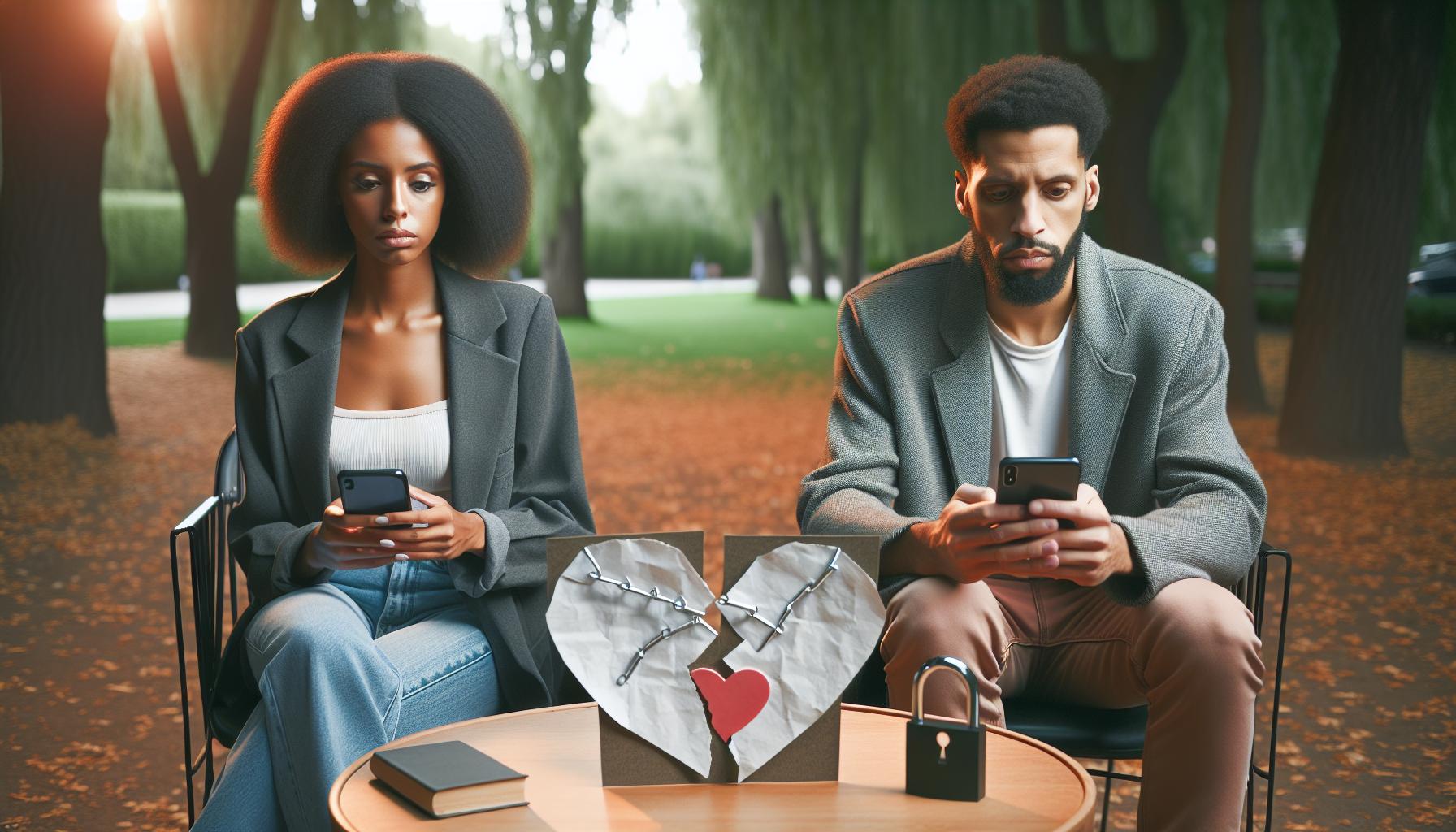
Navigating the fine lines of online relationships can be tricky, especially when it comes to understanding the distinction between blocking someone and unfriending them on Facebook. These two actions may seem similar on the surface, but their implications for your online interactions are markedly different. Grasping this difference can empower you to manage your Facebook connections more effectively and reduce potential misunderstandings that may arise.
When you unfriend someone on Facebook, you simply remove them from your friend list. This means they can no longer see your posts or updates unless your privacy settings allow it. They won’t receive a notification that you’ve unfriended them, which might keep the peace in many cases. However, they can still look up your profile and see any public content you share, including posts that are visible to mutual friends or to the public. It’s a less drastic move than blocking, allowing for some level of interaction to remain, should you choose to adjust your privacy settings in the future.
In contrast, blocking is a more definitive action. When you block someone, they can no longer find your profile, send you messages, or see any of your content, including posts, comments, and photos. This action effectively cuts off all lines of interaction between you and the blocked individual. They will not know they have been blocked unless they try to access your profile or engage with you in some way, leading to potential confusion or frustration on their part. It’s worth noting that blocking does not unfriend the person, but it enhances the level of separation, as they become invisible to you and vice versa.
To better understand these differences, consider the following:
- Unfriending: Removes the user from your friends list, limiting your shared visibility but allowing public or mutual friend interactions.
- Blocking: Completely removes all interaction capabilities; the blocked user cannot see or contact you in any capacity.
This clarity can be especially beneficial if you’re unsure whether you’ve been blocked after noticing changes in your interaction with someone on Facebook. If you simply can no longer see their posts, it might just mean they’ve changed their privacy settings or unfriended you rather than outright blocking. If you’ve suspected a block but still view content from mutual friends involving the person, it’s likely they’ve opted for the less-confrontational route of unfriending or adjusting their visibility settings.
Understanding these two features can significantly influence how you manage your Facebook connections, ensuring that your online presence reflects your comfort level with privacy and communication. As you navigate these dynamics, remember that your control over your online interactions can help foster healthier relationships, whether on social media or in real life.
Reaching Out: How Many Attempts Indicate a Block?
Many users find themselves perplexed by the intricacies of online interactions, especially when gauging whether their outreach attempts are being met with silence due to a potential block on Facebook. Often, it’s not just about how many messages go unanswered, but understanding the context and the signals that indicate a block. If you’re reaching out and the responses are lacking, here are some key insights to navigate this uncertainty.
When trying to determine if someone has blocked you, consider the total attempts made to connect with them through messages or comments. If you’ve reached out multiple times-say, three or four separate messages-and you receive no response, the likelihood of being blocked increases. However, it’s essential to weigh these attempts against other potential reasons for the lack of communication, such as the person’s personal circumstances or their own social media choices.
In this digital age, many individuals may not check their messages regularly or could be intentionally taking a break from Facebook. Context matters. For instance, if you notice that your attempts to engage through comments on their posts go unanswered or that they haven’t posted anything new recently, this could also be a sign of their inactivity rather than an indication of being blocked.
Ultimately, if you suspect you’ve been blocked, try to assess the situation holistically. Evaluate any changes in your visibility on their profile, or whether you can still see mutual friends interacting with them. If their profile appears completely inaccessible, and your outreach efforts remain ignored after a few attempts, it may be time to accept that this individual has chosen to limit or halt interaction with you on Facebook.
In summary, tracking how many attempts you’ve made to reach out can be a helpful indicator, but it’s essential to combine this information with broader observations about the other person’s Facebook activity. Approaching this situation with empathy and understanding can help you reconcile your feelings and decide how to move forward, whether that means reaching out in a different way or focusing on other relationships on the platform.
Future of Communication: Alternatives to Facebook Blocking
In a world where communication is often digital, navigating relationships on platforms like Facebook can be complex and sometimes frustrating. Many users might find themselves in situations where they suspect a friend is blocking them, leading to confusion and uncertainty. However, there are alternative ways to communicate that can help maintain connections while providing a clearer understanding of one another’s boundaries.
Exploring Alternative Communication Channels
When faced with the possibility of a block on Facebook, consider utilizing other platforms or methods to reach out. Here are some alternative channels for communication:
- Messaging Apps: Platforms like WhatsApp, Telegram, or Signal allow for secure conversations without interference from social media algorithms. If you have their phone number, a direct message on one of these apps could help clarify any misunderstandings.
- Email: Returning to basics, sending an email can be a professional and personal way to address a concern or re-establish a connection. Crafting a thoughtful message can show that you value the relationship.
- Text Messages: Simply reaching out via SMS can also be effective, especially if you are close enough for them to feel comfortable receiving a message directly.
- Face-to-Face Interaction: If feasible, nothing beats a face-to-face conversation. Organizing a casual meet-up can provide an open space to discuss any underlying issues.
Navigating Unfamiliarity with Communication Tools
If you decide to explore these alternative channels, it’s essential to approach them with consideration. Use polite language that expresses your concerns without making the other person feel cornered. For example, a message stating, “I noticed you’ve been more silent on Facebook lately and wanted to check in,” can open a dialogue without it seeming accusatory.
Moreover, if you choose to reach out through different platforms, be mindful of their privacy settings. Respect their boundaries and be aware that they might need space, no matter how you communicate. Acknowledging their autonomy builds trust and may lead to a more fruitful conversation later.
Enhancing Your Digital Communication Skills
Understanding the nuances of digital communication is vital. As social media platforms evolve, users must adapt to new features and changes. Familiarize yourself with Facebook’s tools such as Stories and Reels, which allow for more casual interactions. Engaging with content in these areas can demonstrate your interest without directly confronting the issue of being blocked.
In conclusion, while it can be disheartening to think someone has blocked you, exploring alternative communication methods and maintaining respect for boundaries can lead to better understanding and stronger connections. Finding effective ways to navigate these complex social dynamics will empower you and enhance your communication skills in the digital landscape.
What to Do If You Think You’re Blocked
There’s a distinct unease that surfaces when you suspect a friend has blocked you on Facebook. The social media platform’s intricacies can fuel confusion, but understanding certain indicators can help you navigate this uncomfortable situation. Instead of letting your worries spiral out of control, consider a proactive approach to assess the status of your connection.
One of the first things you can do is to revisit your friend list. Check if the person’s name is still present. If you can’t find their profile, it might be due to being blocked, but it’s also possible they’ve deactivated their account. If you know their username or can search for them, try entering it into the Facebook search bar. If their profile appears but you can’t view any of their posts or interact with them, it might suggest that you’ve been blocked.
If you still have mutual friends, another step is to ask them if they can see the person’s profile. This can clarify whether the issue lies with your account or if the person in question is simply offline. Should your inquiries confirm that you’ve indeed been blocked, it’s essential to respect the other person’s boundaries and privacy. It’s a reminder that everyone has their own reasons for altering their social media presence, which could range from seeking distance to managing personal issues.
Should your assessment suggest that you have been blocked, consider how to best handle the situation. If you feel comfortable, reaching out through a different communication method could provide clarity. A gentle text or a message on another platform could facilitate discussion without making things awkward. Approach the conversation with sensitivity; perhaps say something like, “Hey, I noticed we haven’t been connecting much lately, is everything okay?” This allows an opportunity for dialogue without cornering the individual.
It’s crucial to remember that social media relationships can be as intricate as real-world ones. Taking a step back and giving the other person space may be the healthiest course of action if they are not ready to connect. Recognizing your own emotional response and managing it is equally important. If you find yourself fixating on the block, try engaging in activities outside of social media to regain your focus and maintain your well-being.
Through these steps, in the event you believe someone has blocked you, you can approach the matter with understanding and care, ensuring that your communication reflects respect for both your feelings and theirs.
Frequently asked questions
Q: How can I tell if someone restricted my Facebook profile?
A: If someone restricts your profile on Facebook, you may notice that you can no longer see their posts or comments in your news feed. Additionally, mutual friends may not appear on their profile as they used to, and you might receive limited visibility to their posts. For more insights, consult the section on “Exploring Visibility Issues.”
Q: What happens to messages if someone blocks you on Facebook Messenger?
A: When someone blocks you on Facebook Messenger, you will no longer be able to send messages to them, and any previous conversations will be inaccessible. The chat will disappear from your Messenger list, indicating a potential block. For more details on messaging, check out “Direct Messaging Woes.”
Q: Can you still see a blocked person’s comments on mutual friends’ posts?
A: No, if someone blocks you, their comments on mutual friends’ posts will become invisible to you. This is a part of Facebook’s privacy settings that ensures blocked users cannot interact with each other. For further clarity, explore the “Engagement Indicators.”
Q: Why can’t I find someone’s profile on Facebook anymore?
A: If you can’t find someone’s profile on Facebook, they may have either blocked you or deactivated their account. To explore this further, check your friend list or search visibility settings as discussed in “Profile Search Limitations.”
Q: Does deleting a friend mean they have blocked me on Facebook?
A: Not necessarily. When someone deletes you as a friend, you can still find their profile unless they have blocked you. If you’re uncertain, review the difference between blocking and unfriending in the article.
Q: How can I contact someone if I think they blocked me on Facebook?
A: If you suspect someone has blocked you on Facebook, consider reaching out through a mutual friend’s account or via another platform. Always approach the situation sensitively. For more tips, see “Reaching Out: How Many Attempts Indicate a Block?”
Q: Are there notification settings that prevent blocking notifications?
A: Facebook does not notify users when they are blocked. This ensures privacy for both parties. To better understand how this works, visit the “Understanding Facebook Blocking Mechanisms” section.
Q: What should I do if I realize I’ve been blocked on Facebook?
A: If you believe you’ve been blocked, it may be best to respect the other person’s choice and not pursue contact. Consider reviewing your privacy settings and adjusting who can see your information moving forward. For more actionable steps, check “What to Do If You Think You’re Blocked.”
Feel free to explore our comprehensive guides on navigating Facebook’s features for more assistance!
Insights and Conclusions
Now that you know how to identify the signs that someone may be blocking you on Facebook, you can approach your social interactions with more confidence. Remember, if you notice a change in communication or your visibility on someone’s profile, it might be a key indicator. Don’t let uncertainty linger-take action today to clarify your social connections!
To deepen your understanding of Facebook’s features, check out our guides on adjusting your privacy settings and navigating the latest updates. These resources will empower you to manage your online presence effectively while making the most of what Facebook has to offer.
If you found this article helpful, join our newsletter for more tips on mastering Facebook and ensuring a safe social media experience. Don’t let questions or concerns hold you back-dive deeper into your online journey today! Share your thoughts in the comments below and explore our related articles to stay informed and engaged.


