

In the age of digital connectivity, privacy can often feel like a luxury. Did you know that many Facebook group members wish to express their thoughts without fear of judgment or unwanted attention? If you’re one of them, learning how to comment anonymously in Facebook groups is essential for safeguarding your identity while engaging authentically. This skill not only allows for honest conversations but also fosters an inclusive space where ideas can thrive without the pressure of being recognized. As you navigate through this guide, you’ll discover step-by-step methods to ensure your comments remain hidden, empowering you to share your insights confidently. Ready to unlock the secret of staying hidden while still being part of the conversation? Let’s dive into the practical strategies that will enhance your Facebook experience while prioritizing your privacy.
How Anonymous Comments Work on Facebook Groups
When it comes to engaging in discussions within Facebook groups, the option to comment anonymously can significantly alter the dynamics. It provides users with the freedom to share thoughts, ask questions, and participate in conversations without the fear of judgment from peers. Anonymous commenting on Facebook groups is designed to create a safe space for sensitive topics, ensuring that individuals can express themselves candidly, be it regarding mental health, personal issues, or controversial subjects.
To understand how anonymous comments work, it’s vital to start with the role of group settings. Admins have the ability to toggle the anonymity feature, which allows members to share their insights without revealing their identities to the rest of the group. Once enabled, users can post comments anonymously, but it’s essential to remember that while the group will see the comment, the identity of the commenter remains hidden. In the case of group admins, however, their capabilities extend to viewing the identities of anonymous commenters, thus maintaining a layer of accountability.
Key Mechanisms Behind Anonymous Comments
There are certain mechanics behind how the anonymity functions within Facebook groups:
- Feature Activation: Group admins must activate the anonymous commenting feature in the group settings. This setting controls whether members can comment anonymously or not.
- User Interface: When typing a comment in an active anonymous thread, a marker will typically indicate that the comment will be posted anonymously. This visual cue helps users understand how they are engaging.
- Visibility Limitations: While comments are anonymous to other group members, admins are still able to see the commenter’s identity making it a safe option for managing inappropriate or harmful content.
This system allows for a balance: the chance to voice opinions without personal exposure while ensuring that group moderators can maintain a respectful environment. However, it’s crucial that participants understand this balance to avoid misusing the feature or violating group norms. Engaging in discussions thoughtfully, while utilizing anonymity wisely, enhances the group experience for everyone involved.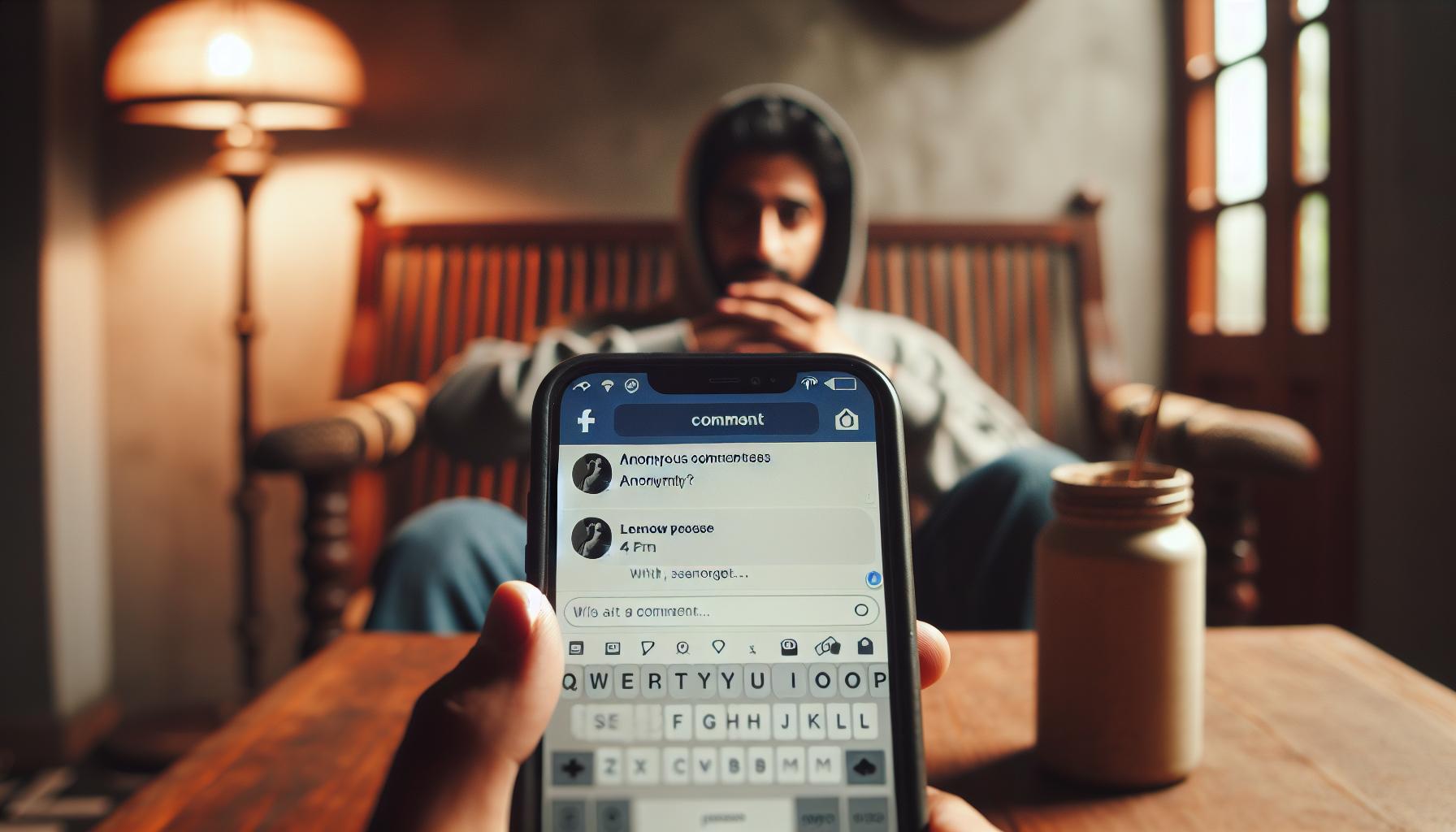
Reasons to Comment Anonymously on Facebook
The ability to comment anonymously on Facebook groups can be a game-changer for many users looking to share their thoughts without the baggage of their identity. Imagine you want to help someone struggling with a personal issue or seek advice on a sensitive topic, but you hesitate due to the fear of judgment or backlash from acquaintances. Anonymity provides a protective layer, allowing for honest and open discussions that might be stifled when identities are known. This freedom to express oneself can foster a more inclusive environment where users feel supported and understood.
Many users turn to anonymous commenting for various compelling reasons. One significant motivation is the desire for privacy. In communities focused on health, relationships, or personal development, the stakes can be high. Posting anonymously allows individuals to seek help or share experiences without the fear of their personal lives being scrutinized by friends or family members. Furthermore, it encourages diverse perspectives. When users can engage without the fear of being labeled or judged, they may feel more inclined to share their unique insights, contributing to richer discussions that benefit the entire group.
Additionally, anonymous commenting acts as a safety net in groups that address controversial subjects or community matters. Users can voice dissenting opinions or discuss uncomfortable truths that might provoke negative reactions. By allowing voices to emerge that may otherwise be silenced, anonymous commenting supports a healthier dialogue, empowering users to challenge norms and spark meaningful change within their communities.
However, it’s essential to approach anonymous commenting with responsibility. Users should remember that while anonymity can provide freedom, it should not be used as a shield for harmful behavior or to spread misinformation. Embracing anonymity with thoughtfulness creates a respectful environment where everyone can learn, grow, and engage without barriers. Whether seeking support or sharing hard-earned advice, the point of commenting anonymously is to facilitate conversation-not chaos.
Step-by-Step Guide to Comment Anonymously
Navigating the world of Facebook Groups can sometimes feel overwhelming, especially when you want to participate without revealing your identity. The good news is that Facebook now offers the option for members to comment anonymously in certain groups, a feature designed to promote more open and candid conversations. Here’s your straightforward guide on how to comment anonymously and engage meaningfully without exposing your personal information.
Understanding Group Requirements
Before you dive into anonymous commenting, confirm that your target group supports this feature. Not all Facebook Groups offer the option for anonymous comments; it’s typically available in support or discussion-focused groups. Check the group description or rules for information on this capability.
Step-by-Step Instructions for Anonymous Commenting
Follow these simple steps to comment anonymously:
- Join the Group: Ensure you’re a member of the group where you wish to comment. If you haven’t joined yet, send a request to become a member.
- Locate the Post: Navigate to the post you want to comment on. This is usually in the news feed or the group’s main page.
- Select the Anonymous Comment Feature: Look for an option that indicates you can comment anonymously. This is typically a checkbox or a toggle at the bottom of the comment box. It may appear as “Comment as Anonymous” or “Post Anonymously.”
- Craft Your Comment: Write your comment in the designated box. Be respectful and constructive as anonymity should not be a cover for negativity.
- Post Your Comment: Click on the post button. Your comment will now appear in the group without displaying your name or profile picture, ensuring your identity remains confidential.
What to Remember
Though anonymity can foster open dialogue, it’s vital to use this feature responsibly. Steer clear of harmful comments or misinformation. Consider your contributions to ensure they add value to the conversation. Additionally, always be aware that group admins may still track or manage anonymous comments, so keep your interactions respectful.
By understanding how to utilize the anonymous commenting feature effectively, you can cultivate a safer space for expression, share your insights and support others while maintaining your privacy. Embrace the opportunity to express yourself freely-while being respectful and constructive.
Adjusting Your Facebook Privacy Settings
Navigating privacy settings on Facebook can feel daunting, especially when you’re trying to engage anonymously in groups. Understanding how to adjust your settings not only enhances your experience but also adds an essential layer of security as you participate in discussions. Here are some effective ways to ensure that your information remains protected while exploring the anonymous commenting feature in Facebook Groups.
Accessing Your Privacy Settings
To begin, you need to access your privacy settings. Here’s how to do it:
- Log into your Facebook account: Open the Facebook app or website and log in with your credentials.
- Navigate to Settings & Privacy: Click on the downward arrow in the top right corner of your screen to find the “Settings & Privacy” option. Then select “Settings.”
- Access Privacy Settings: From the left sidebar, click on “Privacy.” This will open your privacy settings, where you can adjust who can see your posts, comments, and profile information.
Customizing Your Settings
Once you have accessed your privacy settings, focus on the following areas to protect your identity:
- Who Can See Your Future Posts: Set this to “Only Me” if you want to limit visibility. This is crucial when interacting with groups, especially if they’re public.
- Limit Past Posts: For additional privacy, consider limiting the audience of your past posts. This is particularly useful if you’ve previously shared sensitive information.
- Who Can Send You Friend Requests: Adjust this to “Friends of Friends” or “Everyone,” depending on your comfort level with connection requests.
- Profile and Tagging Settings: Manage who can tag you and who can see tags made by others to further minimize exposure.
Utilizing Restricted Lists
Another powerful tool is the ability to create a Restricted List. This feature allows you to keep friends close while limiting what they can see. To add someone to your Restricted List:
- Go to their profile.
- Click on the “Friends” button.
- Select “Edit Friend Lists.”
- Choose “Restricted.”
This means that while they remain your friends, they can only see your public posts, enhancing your privacy when engaging in groups where anonymity is crucial.
Final Tips for Enhancing Privacy
Lastly, remember to regularly review your privacy settings as Facebook updates its features. Consider switching your account to a more private view when engaging in sensitive discussions:
- Log out after commenting: If you’re particularly concerned about your online footprint, logging out of Facebook after you participate can help keep your browsing history clean.
- Regularly Update Your App: Ensure you have the latest version of the Facebook app, as updates can include improved privacy features and settings.
By taking the time to adjust your privacy settings, you can engage in Facebook Groups more confidently, knowing you have control over your personal information. These steps not only secure your identity but also enhance your overall experience in navigating anonymous comments on the platform.
Understanding Group Admins and Anonymous Comments
In the realm of Facebook Groups, the role of group admins is pivotal, especially when it comes to managing interactions, including anonymous comments. Group admins have various tools at their disposal that help maintain a safe, respectful environment for all members, and understanding these features can empower you to engage more effectively while safeguarding your identity.
Group admins can manage who pays attention to the posts made in their groups and can moderate discussions to ensure they are aligned with the community’s guidelines. If you’re considering commenting anonymously, it’s essential to respect the group rules and the admins’ authority. Often, they’re entrusted with the responsibility to protect their members from inappropriate content and interactions. Admins have access to moderation tools, such as approving posts, deleting comments, and banning users who violate community standards. This means that while your anonymous comments are a wonderful avenue for open discussion, they can still be subject to review by group admins, so be sure to keep your comments respectful and relevant.
Engaging anonymously can enhance your voice within group discussions, particularly in climates where difficult topics are being discussed. Imagine you’re part of a support group where vulnerability is necessary; commenting anonymously allows you to express your feelings without the pressure of disclosing your identity. To ensure that you are capitalizing on this opportunity while navigating the responsibilities that come with it, it is important to familiarize yourself with the group’s guidelines. Check whether anonymous commenting is explicitly allowed, as some groups prefer to maintain transparency amongst members. Some groups have settings that can allow posts to be made anonymously; make sure to review how that process works for the specific group you’re in.
When you comment in a Facebook Group, remember that it’s not just about anonymity. Consider that your words carry weight and can impact others. Group admins may encourage members to engage authentically while reminding everyone to respect one another. If you choose to comment anonymously, participate in a way that contributes positively to the discussion. Respect the efforts of the group admins who work hard to maintain a supportive environment, and remember that constructive dialogue goes a long way in fostering community trust and engagement. By understanding the dynamics at play between yourself and group admins, you can better navigate your anonymous commenting experience on Facebook Groups, enjoying the benefits of open communication while honoring the collective space.
Common Misconceptions About Anonymity
Many users assume that commenting anonymously on Facebook Groups allows complete freedom from accountability or scrutiny. However, there are several misconceptions surrounding the nature of anonymity on social media platforms, including Facebook. Understanding these misunderstandings can empower you to engage responsibly in group discussions while protecting your identity.
One prevalent belief is that anonymity equates to absolute privacy. While commenting anonymously can shield your identity from other members, it does not mean your comments are invisible to group admins. Admins retain the ability to monitor interactions closely, including anonymous posts. They may still be able to track user behavior patterns and can take action if they perceive abusive behavior or violations of group guidelines. This means that the anonymity offered is limited and should not be an excuse for harmful or disrespectful comments. It’s crucial to remember that words have impact, and your contributions matter.
Another common misconception is that anonymity permits users to express any opinion without consequences. Although anonymity can foster open communication, it’s important to engage in thoughtful dialogue. Misuse of anonymous commenting can lead to misunderstandings or conflicts within the group, ultimately damaging the trust and rapport cultivated among members. To contribute positively, consider the emotions and perspectives of other members-especially in sensitive support groups or discussions. Just because your identity remains veiled doesn’t diminish the responsibility to communicate respectfully and constructively.
Lastly, some users mistakenly think that creating a separate account for anonymous commenting is a foolproof method for maintaining privacy. While a secondary account can provide a layer of separation, it also raises issues regarding Facebook’s policies on impersonation and using fake accounts. Facebook has made strides in combating spam and fake profiles, and using a secondary account can risk detection and potential penalties. It’s essential to navigate anonymity with caution, adhering to Facebook’s community standards while also recognizing the ethical implications of any comments made under the guise of a fictitious persona.
By addressing these common misconceptions, you can better navigate the complexities of anonymity within Facebook Groups. The key lies in balancing your desire for privacy with the responsibility to foster a respectful and constructive community dialogue.
How to Create a Secondary Account Safely
Creating a secondary account on Facebook can seem like an appealing solution for those seeking to comment anonymously within Facebook Groups. However, it’s important to do this thoughtfully and securely to avoid potential pitfalls. Here are some practical steps and considerations to keep in mind when establishing a secondary account that maintains your privacy while navigating Facebook’s policies.
Understanding Facebook’s Policies
Before proceeding, familiarize yourself with Facebook’s community standards and guidelines regarding account authenticity. Facebook explicitly prohibits creating multiple personal accounts, which can lead to penalties or the suspension of your accounts. If you decide to create a secondary account, consider using it for specific purposes, such as joining a group focused on a hobby or interest where anonymity is critical.
Setting Up Your Secondary Account Securely
To set up a secondary account while minimizing risks, follow these steps:
- Use a Unique Email Address: Create a new email address that does not contain your real name or directly identify you. This serves as the primary login for your secondary Facebook account.
- Choose a Non-Identifiable Username: Pick a name that is not linked to your identity. Avoid using recognizable photos or personal information that could lead someone to uncover your true self.
- Limit Your Profile Information: When creating your profile, share minimal information. Do not include your location, workplace, or any details that could connect you back to your main account or personal life.
- Privacy Settings First: Adjust your privacy settings immediately after creating the account. Set your profile to private and restrict who can see your friends list, posts, and any personal information.
Engaging Responsibly
Once your secondary account is ready, it’s vital to engage responsibly in group discussions. Here are some tips to ensure you remain discreet while contributing meaningfully:
- Remain Respectful: As mentioned earlier, anonymity does not equate to a license to offend. Maintain a tone that is constructive and considerate, especially in sensitive topics.
- Avoid Over-Sharing: While it might be tempting to share personal opinions or experiences, be cautious about revealing too much about yourself that could inadvertently expose your identity.
- Interact with Caution: Pay attention to how often you engage in discussions. Frequent interactions may draw attention and cause members to speculate about your identity.
Creating a secondary account can offer a sense of security when seeking to express your thoughts anonymously, but navigating this process mindfully helps uphold the essence of community discussions. By following these strategies, you can maintain your privacy while contributing positively to the Facebook Groups you enjoy.
Tips to Avoid Revealing Your Identity
When participating in Facebook Groups anonymously, it’s essential to take proactive measures to keep your identity under wraps. Many users may not realize the various ways they can unwittingly reveal personal information through their comments, interactions, and even their public profiles. By adopting a few intentional strategies, you can navigate the waters of anonymity effectively while contributing your thoughts and experiences.
Limit Personal References
One of the simplest ways to avoid unintentionally revealing your identity is to be cautious about personal anecdotes and experiences. While sharing can enrich discussions, it’s crucial to ensure that what you convey does not include identifiers such as specific locations, workplaces, or personal relationships. Instead, consider generalizing your comments to keep the essence without disclosing too much. For instance, instead of saying, “As a teacher at XYZ High School,” you can alter it to “As someone who has taught middle school for several years.”
Monitor Your Language and Tone
Your choice of words and writing style can sometimes hint at your identity, especially if you tend to use specific phrases or slang typical to your social circle or profession. Aim for a neutral tone that doesn’t reveal details about your background. Additionally, consider the times you post or interact within the group; posting during specific hours (e.g., work hours) could lead others to make educated guesses about your daily routine and identity.
Disconnect from Personal Accounts
While engaging anonymously, do not let your secondary account intermingle with your primary one. Ensure you are logged out of your main account when using your secondary account. This practice prevents accidental interactions that may connect your identities. Furthermore, avoid adding friends or engaging with known acquaintances in groups where you wish to maintain anonymity. The less people know about your ventures in such groups, the safer your identity will be.
Be Mindful of Group Interaction Styles
Every Facebook Group has its own culture and interaction dynamics. Take some time to observe how members engage before jumping in. This observation can help you better understand what might raise eyebrows or prompt members to question your anonymity. For instance, if a group relies on members sharing local tips or opinions about community events, be wary of referencing specifics that could pinpoint your identity.
By taking these steps, you can enjoy the benefits of engaging anonymously in Facebook Groups without the fear of being exposed. The key lies in being intentional about your contributions and interactions, ensuring that your identity remains safely guarded while you participate in the conversations that matter to you the most.
Navigating Engagement Without Personal Exposure
Engaging in Facebook Groups without compromising your anonymity can be a delicate balancing act. Many users seek the comfort of sharing their thoughts without the fear of being scrutinized or identified. This effort can be complicated by the platform’s inherent design, which often promotes transparency among users. However, with a few practical strategies, you can confidently navigate group interactions while keeping your identity secure.
Establish a clear understanding of the group dynamics before engaging. Each group has its unique culture, which can significantly influence how your comments are received. Spend some time observing the types of conversations and the tone members adopt. For example, in a group dedicated to teachers, you might notice a trend towards supportive and professional language. Mimicking a similar neutral tone in your comments can help you blend in seamlessly while avoiding any hints that might lead back to your identity.
Another effective strategy is to engage through thoughtful, low-risk questions that encourage discussion without revealing too much about yourself. For instance, instead of expressing a personal opinion about a sensitive topic that might connect to your real-life experiences, frame your comments in a more general context. A question like, “What are some effective strategies for dealing with classroom behavior?” invites professional insights while keeping your personal experiences out of the spotlight. This approach not only protects your anonymity but also positions you as a valuable contributor.
Utilizing tools that enhance your privacy can also be beneficial. For instance, consider using Facebook’s built-in privacy settings to limit who can see your posts and comments. Each group should have settings regarding anonymous commenting-familiarize yourself with these features to take full advantage of them. Additionally, experimenting with language processors or text generators can help you formulate comments that sound neutral and professional, reducing the likelihood that your writing style will give away your identity.
In summary, engaging anonymously in Facebook Groups requires intentionality and awareness. By understanding group dynamics, maintaining a general tone, asking low-risk questions, and using privacy tools effectively, you can participate in discussions without exposing your true self. Each step you take towards protecting your identity empowers you to share insights and connect with others while preserving the confidentiality you value.
Best Practices for Responsible Anonymous Commenting
Engaging anonymously in Facebook groups can be an empowering way to express your thoughts and opinions without the burden of revealing your identity. However, with great power comes great responsibility. To ensure that your anonymous commenting remains constructive and respectful, there are several best practices to consider. Adhering to these guidelines not only helps protect your privacy but also promotes a positive atmosphere within the community.
Respect Group Rules
Before jumping into discussions, take a moment to familiarize yourself with the group’s rules and guidelines. Many groups have specific expectations regarding member behavior, even when commenting anonymously. Understanding these rules helps you avoid inadvertently violating them and ensures your contributions are well-received. For instance, if a group discourages negativity or trolling, be conscious of your tone and word choice to maintain a respectful dialogue.
Prioritize Constructive Feedback
When participating in discussions, focus on providing helpful insights rather than purely expressing personal opinions. Aim to contribute constructively by asking questions, sharing useful resources, or offering solutions based on collective experiences. For example, instead of saying, “I think this approach is wrong,” you might frame it as, “Have you considered trying this alternative approach instead?” This method encourages more productive conversations while safeguarding your anonymity.
Engage Thoughtfully
It’s essential to craft your comments thoughtfully to strike a balance between anonymity and clarity. When you comment, avoid using personal anecdotes that may give away your identity, especially in a tight-knit group. Instead, consider using scenarios that are general enough to resonate with many members. When giving advice or sharing insights, utilize collective phrases like “Many people find that…” or “Common strategies include…” This helps maintain your incognito status and ensures your perspectives are valued.
Be Mindful of Sensitive Topics
When engaging in conversations around sensitive subjects, approach with extra caution. Issues related to health, politics, or personal hardships can evoke strong emotions; as such, anonymous remarks could unintentionally offend others or misrepresent your intentions. To stay respectful, consider asking neutral questions that promote discussion without delving into personal beliefs or experiences. For example, rather than stating a controversial opinion, ask, “What are different viewpoints regarding this topic?”
By embracing these best practices for anonymous commenting, you can contribute positively to discussions while safeguarding your identity. Engaging with consideration can cultivate a more vibrant, supportive community while empowering you to share your voice without fear of personal exposure. Remember, anonymity is not an excuse for negative behavior; instead, let it inspire more thoughtful and balanced contributions.
What to Do If You’re Exposed
In the world of online anonymity, the fear of being exposed can stir anxiety among users striving to maintain their privacy in Facebook groups. Depending on the dynamics of the group, having your identity revealed can have varying consequences, from experiencing backlash to feeling that your safety is compromised. If you find yourself in a situation where your anonymity has been compromised, there are steps you can take to manage the fallout and regain control over your online presence.
One of the first actions to consider is refocusing your approach to the group. If you’ve been outed in a community you value, acknowledge the situation gracefully if it arises in discussions. Emphasize that the comments you made were intended to foster constructive dialogue and share insights. While it might feel uncomfortable, being open about your intentions can mitigate negativity and rebuild rapport with group members.
Next, it’s essential to adjust your privacy settings immediately. Review your Facebook privacy settings to limit what others can see about you. Navigate to Settings > Privacy, and customize options such as who can see your posts, friend requests, and profile visibility. Adjusting these settings can help safeguard against further invasions of privacy and give you a sense of control over your online footprint.
Additionally, consider creating a new, truly anonymous profile if your identity has been significantly compromised. This profile should be devoid of any personal details that could link back to you. When setting this up, use a separate email address and avoid connecting with friends or family who might inadvertently reveal your identity. This fresh start can serve as a protective barrier while you continue to engage in groups that interest you.
Lastly, if the exposure has led to harassment or unwanted attention, it might be wise to report the incident to Facebook. Utilize the platform’s tools to report harassment or abuse, which can initiate protective measures. Document the interactions that make you feel uncomfortable, as these records can support your claims. Remember, Facebook has policies against harassment, and taking action can help protect your well-being in the digital space.
Navigating the challenges of online anonymity requires a blend of practical steps and mindful engagement. By focusing on adjustment and proactive measures, you can move past exposure while continuing to contribute meaningfully to your communities without compromising your privacy.
Exploring Alternative Anonymity Tools and Apps
In today’s digital landscape, maintaining anonymity can be a challenge, especially on platforms like Facebook, where personal information is often readily available. However, there are various tools and applications designed to help you engage without revealing your identity. These solutions can enhance your privacy and provide a more secure way to participate in discussions online.
Anonymous Browsers and Extensions
One of the simplest ways to protect your identity is by using anonymous browsers and extensions. Tools like Tor Browser allow you to surf the web without being tracked, while extensions like DuckDuckGo Privacy Essentials help by blocking trackers and ensuring your searches remain private. When accessing Facebook, using these tools can help mask your IP address, adding a layer of anonymity to your activities.
Secure Messaging Apps
Another consideration is the use of secure messaging applications that prioritize user privacy. Apps like Signal and Telegram offer features for anonymous communication. You can discuss sensitive topics with other users without laying bare your actual Facebook identity. Consider creating group chats in these apps where you can engage with like-minded individuals or share ideas without the fear of being outed.
Virtual Private Networks (VPNs)
Using a VPN can also protect your online presence. VPNs create a secure connection to another network over the Internet, masking your IP address and encrypting your data. This means that your online activities, including Facebook interactions, can be kept private from prying eyes. Select a reputable VPN service that doesn’t log your activity to ensure that your anonymity is maintained while engaging in various online discussions.
Anonymous Accounts on Alternative Platforms
If you’re looking for a more social interaction experience without the burden of revealing your identity, consider using alternative social platforms that focus on anonymity. Websites like Reddit allow for anonymous posting in various communities (subreddits) where you can participate in discussions without the pressure of attaching your real name to your comments. Similarly, dedicated forums that cater to specific topics can offer a space for anonymous engagement.
- Tor Browser: Browse the web anonymously.
- Signal: Secure messaging app for private conversations.
- VPNs: Mask your IP address while streaming and chatting.
- Reddit: Participate in anonymous discussions across diverse topics.
By incorporating these tools and strategies into your online routine, you can confidently engage in discussions within Facebook groups or other platforms while minimizing the risks of exposing your identity. Remember, while anonymity can be powerful, it’s crucial to use these tools responsibly and in line with community guidelines to foster constructive dialogue.
Frequently asked questions
Here are the SEO-optimized FAQ pairs that target user inquiries related to commenting anonymously on Facebook groups:
Q: How can I find Facebook groups that allow anonymous comments?
A: To find Facebook groups that permit anonymous comments, use the search bar to look for groups focused on privacy or specific topics of interest. Check group descriptions for mention of anonymity policies or browse community guidelines. Engage in discussions to determine if anonymity is supported. Explore our section on Understanding Group Admins and Anonymous Comments for more insights.
Q: What risks are involved with commenting anonymously in Facebook groups?
A: Commenting anonymously on Facebook groups carries risks like potential exposure if group admins reveal identities or if your device’s IP address can be traced. Additionally, anonymous comments may lead to misunderstandings or negative interactions. Read Tips to Avoid Revealing Your Identity for strategies to mitigate these risks.
Q: Can someone see my identity if I comment anonymously on Facebook?
A: When you comment anonymously in a Facebook group, your identity is typically hidden from group members, but administrators may still access your information. Always review the group’s privacy settings and guidelines to understand who can see your contributions. Our section on Common Misconceptions About Anonymity offers more clarity on this issue.
Q: How do I maintain my anonymity in Facebook groups while participating positively?
A: To maintain your anonymity while commenting positively in Facebook groups, avoid sharing personal details and use a neutral tone. Engage with topics that don’t tie back to your identity. For best practices on anonymous commenting, refer to our section on Best Practices for Responsible Anonymous Commenting.
Q: What tools can I use to further ensure my anonymity on Facebook?
A: You can utilize privacy-focused browser extensions, VPNs, or secondary accounts to enhance your anonymity on Facebook. Consider using platforms designed for anonymous discussions. Check out Exploring Alternative Anonymity Tools and Apps for recommended tools and methods to stay hidden.
Q: When should I consider using a secondary account for commenting anonymously?
A: Consider using a secondary account for anonymous commenting when discussing sensitive topics, protecting your professional reputation, or if you wish to provide honest feedback without repercussions. Ensure this account complies with Facebook’s policies. Learn more in our section on How to Create a Secondary Account Safely.
Q: Can group members find out if I comment anonymously on Facebook?
A: No, group members cannot see your identity when you comment anonymously; however, group admins might have access to your information. Always read group policies regarding anonymity to understand your exposure risk. For detailed insights, refer to Understanding Group Admins and Anonymous Comments.
Q: Why would I want to comment anonymously in a Facebook group?
A: Commenting anonymously allows for honest opinions without fear of judgment, fosters open discussion on sensitive topics, and protects your privacy. Anonymity can encourage more authentic engagement by reducing social pressure. Explore our Reasons to Comment Anonymously on Facebook section for more advantages.
—
These Q&A pairs provide thorough answers to common questions while optimizing for search engines, ensuring valuable user experience, and encouraging further exploration of related content.
The Conclusion
Now that you know how to comment anonymously in a Facebook group, it’s time to put those strategies into action and engage without fear. Remember, maintaining your privacy while participating in discussions not only enhances your experience but also helps you connect meaningfully without revealing your identity. If you’re still hesitant about any steps or need more personalized advice, don’t hesitate to check out our detailed guides on adjusting Facebook privacy settings and navigating group dynamics effectively.
Feeling motivated? Dive deeper into our content by subscribing to our newsletter for tips on maximizing your Facebook experience, from features like Stories to improving your presence in Facebook Marketplace. We’re here to empower you every step of the way as you explore Facebook’s vast potential while keeping your comfort and security a top priority. Don’t forget to leave a comment below sharing your thoughts or any questions you might have-your insights could spark the next conversation!


