
In the age of digital communication, privacy is a top concern for many users. Have you ever wondered whether Facebook Messenger notifies others when you take a screenshot of a conversation? This curiosity is common, especially as we share more sensitive information online. Understanding the privacy settings and features of Facebook Messenger can empower you to navigate your conversations confidently. Knowing whether or not screenshots trigger notifications allows you to safeguard your personal exchanges and communicate more securely. So, if you’re looking to clarify how Facebook Messenger handles screenshots and what it means for your privacy, keep reading. Unlocking these insights will help you protect your conversations and stay informed about the platform’s evolving features.
Understanding Facebook Messenger Screenshot Notifications
While many users rely on Facebook Messenger for their daily conversations, a common question arises: Does Messenger notify users when someone takes a screenshot of a chat? Understanding the mechanics behind screenshot notifications can be crucial for maintaining your privacy and knowing how to manage your interactions on the platform.
When using Facebook Messenger, it’s important to note that the app does not notify users when screenshots are taken in regular chats. This means that if you’re engaged in a one-on-one conversation or in a group chat, you can take a screenshot without the other party being alerted. This is distinctly different from Snapchat, which does send notifications when a screenshot is captured.
However, users must still be cautious about what they share in Chats. While Messenger doesn’t have formal notifications for screenshots, the content you send can, of course, be saved on the recipient’s device. Therefore, always consider the implications of sharing sensitive information, as that data could be easily shared outside the chat environment.
Best Practices to Protect Your Privacy
- Limit Sharing Sensitive Information: Be mindful of the details you share even in private conversations.
- Adjust Privacy Settings: Review your privacy settings regularly to control who can see your messages and profile.
- Communicate Clearly: Inform contacts when discussing private matters that they should refrain from sharing your messages or taking screenshots.
Understanding how Facebook Messenger handles screenshots enhances your ability to communicate freely while still protecting your personal information. Equip yourself with this knowledge and take proactive steps to ensure a secure digital chatting experience.
How Facebook Messenger Handles Screenshots

Facebook Messenger, unlike many other messaging apps, has adopted a less intrusive approach to screenshot notifications. In regular chat settings, users are free to take screenshots without triggering any notifications to the other parties involved. This means you can capture a moment or conversation without worrying that your actions will be broadcast to the chat group or individual. This feature lends itself to a more relaxed conversational environment, where users can engage without the anxiety of being monitored for every action.
However, this lack of notification doesn’t mean that privacy is guaranteed. Once you hit that screenshot button, the recipient has an image that could potentially be shared with others beyond the chat. It’s crucial to be aware that sharing sensitive information-even in what you perceive to be a private conversation-can easily extend beyond its intended audience. The permanence of screenshots raises concerns about digital footprints that can remain long after the conversation has ended.
To make informed choices when using Messenger, consider these practical tips:
- Be Cautious with Sensitive Content: Avoid sharing sensitive details that you wouldn’t want distributed widely.
- Communicate Expectations: If you share something private, kindly ask your contact not to share it or take screenshots.
- Utilize Ephemeral Features: Use disappearing messages available through other services for highly confidential conversations, although Messenger itself lacks this feature.
By understanding how Messenger handles screenshots, you can better navigate your interactions and set appropriate boundaries. Being proactive about your privacy not only safeguards your information but also helps maintain a safe space for communication in an ever-evolving digital landscape. Empower yourself with knowledge and remain vigilant about what you choose to share, ensuring your conversations remain as confidential as you wish.
Privacy Risks of Taking Screenshots on Messenger
Taking a screenshot may seem harmless, but on platforms like Facebook Messenger, it can unexpectedly lead to privacy risks. Once you capture a screenshot of a conversation, you lose control over that content, as the recipient now has the ability to share it with anyone, potentially extending your most private messages to a much wider audience. This lack of control and visibility around how screenshots are used raises valid concerns, particularly in the age of ubiquitous digital sharing.
It’s pertinent to recognize that photos-once shared-can be easily stored, edited, and disseminated. The information you share may remain in the digital world indefinitely, even if you intended it for a single person’s eyes only. If you engage in sensitive conversations, it’s wise to disclose your content-sharing expectations upfront.
Recognize the Risks
- Loss of Control: Once a screenshot is taken, the original sender no longer holds authority over that content. It can be forwarded, edited, or even posted online without your consent.
- Digital Footprints: Screenshots can establish lasting digital footprints that may return to haunt you later, particularly in scenarios such as job applications or personal relationships.
- Exploitation of Information: In some cases, sensitive screenshots can be weaponized, affecting your personal life and relationships.
Proactive Privacy Measures
Instead of relying solely on the hope that your conversation remains private, consider implementing advanced privacy measures. Start by being discerning about what you share. If a message seems too sensitive, it’s better to communicate it verbally or in a space designed for more secure conversations.
Additionally, regularly review your privacy settings on Messenger and Facebook. Familiarize yourself with who can see your posts and what options you have for restricting visibility. These proactive steps not only protect your personal information but can also enhance your overall peace of mind while using the platform.
Ultimately, by cultivating a habit of mindfulness about your digital interactions, you can navigate Messenger with greater confidence, minimizing privacy risks associated with screenshots and maximizing the enjoyment of the platform.
Do Other Messaging Apps Notify Screenshots?
In the digital age, the importance of privacy during conversations cannot be overstated. While Facebook Messenger may not disclose when a user takes a screenshot, many other messaging apps prioritize privacy differently, either notifying users or maintaining a silent approach. Understanding how these applications handle screenshot notifications can help you make informed choices about your communication methods.
Messaging platforms like Snapchat have built-in features designed to protect user privacy actively. When a screenshot is captured on Snapchat, the application promptly notifies the sender, ensuring they remain aware of any potential sharing of their content. This built-in alert system serves as a safeguard, letting users know when their private messages or images might be disseminated without their permission. If you value having such transparency, Snapchat could be a more suitable choice for you.
Conversely, platforms like WhatsApp and Telegram do not notify users when screenshots are taken. This absence of alerts means that users must be more vigilant about what they share, knowing that their messages could be captured and stored without their consent, similar to Messenger. To mitigate risks, consider engaging in conversations that involve sensitive content in more secure environments, or simply use encrypted communication features offered by apps like Signal.
Users may also benefit from reviewing the privacy features of any messaging app they choose. Regularly updating your settings and familiarizing yourself with specific functions-like message expiration or end-to-end encryption-can further enhance your privacy. By understanding the differences in how messaging apps handle screenshot notifications, you can navigate your digital conversations with confidence, ensuring that your private moments remain just that: private.
User Control: Managing Privacy Settings on Messenger
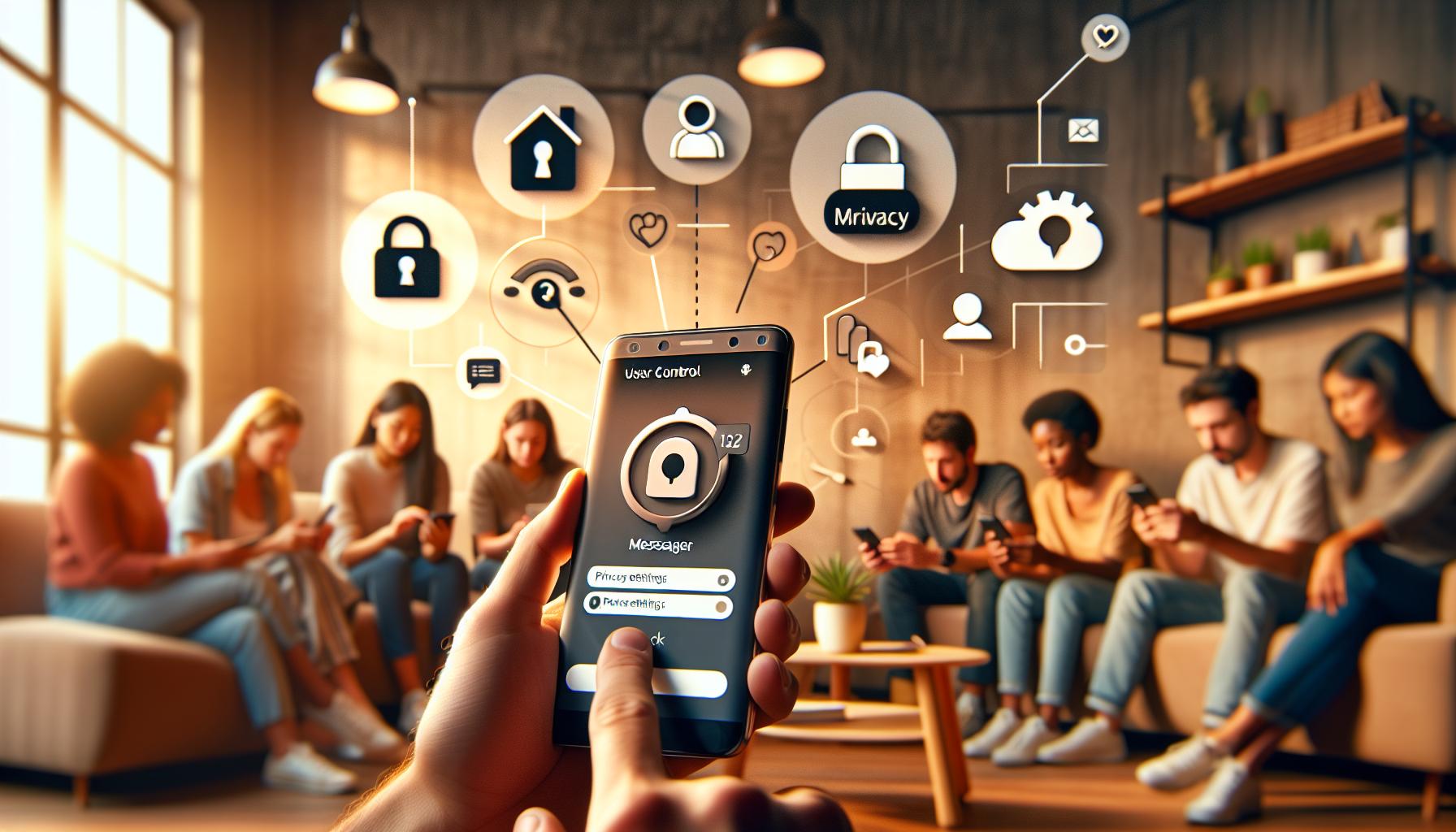
While Facebook Messenger does not notify users when a screenshot is taken, managing your privacy settings effectively can significantly enhance your overall security while using the platform. Understanding how to control what you share, who can see your content, and the accessibility of your messages is paramount in fostering a secure messaging environment. With a few strategic adjustments, you can take charge of your privacy and safeguard your conversations.
Reviewing Privacy Settings
Start by familiarizing yourself with Messenger’s privacy settings. To do this:
- Open the Messenger app on your device.
- Tap your profile picture in the upper left corner.
- Scroll to the “Privacy” section, where you will find various settings.
Here, you can adjust your Active Status, which determines whether others can see when you are online. Disabling this feature gives you more control over your visibility. Additionally, consider modifying who can send you messages or add you as a friend via the “Message Delivery” and “Who Can Contact Me” settings. These adjustments help minimize unwanted interactions and bolster your privacy while communicating.
Controlling Message Visibility
Be mindful of the types of content you share through Messenger. Using features like Secret Conversations can provide an extra layer of security. This option uses end-to-end encryption, ensuring that only you and the person you’re communicating with can read the messages. To start a Secret Conversation:
- Tap on the “New Message” icon.
- Select “Secret” at the top right of the screen.
- Choose the contact you want to communicate with.
These conversations come with additional features like message expiration timers, ensuring that messages are automatically deleted after a certain period, reducing the chances of your messages being captured as screenshots.
Stay Informed and Cautious
Finally, enhancing your privacy isn’t just about toggling settings; it’s also about being vigilant and understanding the platform’s evolving nature. Facebook frequently updates its policies and features, so regularly revisiting the privacy settings is important. Stay informed about any new updates that could impact your privacy. Being proactive about your digital footprint-such as being cautious about sharing sensitive information-will help you maintain a secure environment on Messenger.
In a world where digital conversations are often shared or saved without consent, empowering yourself with knowledge and tools to manage your privacy settings not only fortifies your personal boundaries but also enhances your overall Messenger experience.
What Happens When You Take a Screenshot?
Taking a screenshot can seem like a harmless decision, but in the world of messaging apps, it carries implications that users may not fully recognize. In the case of Facebook Messenger, users should understand that the app does not provide notifications when someone captures a screenshot of a message or conversation. This lack of notification can create a false sense of security when sharing sensitive information, leading to potential privacy violations.
When a screenshot is taken, the recipient of the message will remain blissfully unaware unless they are informed by the sender or some other means, such as a mutual friend’s comment. This allows both parties to engage in conversations with varying degrees of trust, but it also opens up the possibility of misuse. For instance, a chat that seems private can quickly be shared outside the original conversation context, impacting relationships and privacy. As users of Facebook Messenger navigate their interactions, being conscious of what is shared can help mitigate risks.
For those concerned about privacy, it’s vital to implement limits on what is shared in conversations. Utilizing features like Secret Conversations can help. These conversations offer end-to-end encryption and can even include options for self-destructing messages. While this does not prevent screenshots from being taken, it does enhance overall security. Upon setting up a Secret Conversation, you’ll have options like setting expiration times for messages, reducing the lifespan of shared sensitive content significantly.
Adding another layer, consider these tips:
- Be selective with conversations: Only share sensitive information with trusted contacts.
- Engage in face-to-face conversations when discussing private matters.
- Use disappearing messages to ensure sensitive content doesn’t linger on the app.
Ultimately, the key takeaway is to remain vigilant about what you post and share on Messenger. Understanding the implications of screenshots, combined with proactive privacy management, can enhance your experience on the platform while maintaining your peace of mind.
Best Practices for Protecting Your Privacy
In a digital age where privacy is paramount, understanding how to safeguard your personal conversations on platforms like Facebook Messenger is essential. While the app does not notify users when screenshots are taken, there are proactive measures you can adopt to protect sensitive information. By implementing best practices for privacy, you can enjoy a safer messaging experience.
Be Mindful of Your Conversations
One of the simplest yet effective approaches to maintaining your privacy is to consider what you share in conversations. Aim to limit sensitive information-financial details, personal secrets, or sensitive workplace discussions. Sharing private thoughts or images may seem benign in the moment, but they can be misused if saved or shared without consent. Instead, if you must discuss private matters, consider doing so through in-person conversations or secure platforms designed with privacy in mind.
Utilize Facebook Messenger’s Features
Facebook Messenger offers several features tailored to enhance user privacy. Here are some to consider:
- Secret Conversations: Utilize this feature for end-to-end encrypted chats. This ensures that only you and the other party can read the messages. Additionally, you can set messages to disappear after a certain time, reducing the risk of sensitive material lingering.
- Message Expiration: For Secret Conversations, you can set messages to expire to enhance security. Talk about sensitive topics, and enjoy a measure of control over the lifespan of your messages.
- Blocking and Reporting: If you feel uneasy with a contact, don’t hesitate to block them. This prevents any further communication, adding an essential layer of control over your interactions.
Regularly Review Privacy Settings
Frequent users of Messenger should periodically revisit their privacy settings to ensure they align with their comfort levels concerning data sharing. Go to your Messenger application settings and review options related to who can contact you, who can see your active status, and features that allow location sharing. Adjust these settings to your preference, fortifying your privacy.
Stay Informed About Platform Changes
Facebook regularly updates its features and privacy policies, so staying informed is crucial. Follow official Facebook updates or tech news sources to learn about any changes that may affect your privacy. By keeping an eye on new developments, you can adjust your messaging habits and privacy practices in response to the evolving landscape.
By adopting these best practices, you empower yourself to navigate Facebook Messenger’s complexities effectively. With awareness and vigilance, you can engage on the platform confidently, minimizing risks to your privacy and enjoying meaningful conversations without unnecessary concerns.
Reports and User Experiences on Screenshot Notifications
In a landscape where digital conversations can be instantaneous yet ephemeral, the question of privacy becomes paramount. While Facebook Messenger has attracted users worldwide, it falls short in notifying individuals when screenshots are captured during chats. This reality has led to mixed user experiences and opinions concerning screenshot notifications, shedding light on how people navigate their privacy on this popular messaging platform.
Many users have expressed concerns over the lack of screenshot notifications. For example, a study conducted among Messenger users revealed that nearly 60% of participants felt uncomfortable with the idea of someone saving their messages without their knowledge. Such sentiments highlight the need for transparency in digital communication practices. Users report feelings of anxiety when sharing sensitive information, particularly if they can’t determine whether their chats are secure. Stories of private conversations being critical to personal or professional discussions underscore the risks involved when using the platform without adequate protections.
To better manage these concerns, individuals are encouraged to utilize Facebook Messenger’s built-in features that promote privacy. Secret Conversations offer end-to-end encryption, affording users greater peace of mind that their private exchanges remain confidential. Should users choose to send messages they deem particularly sensitive, utilizing this feature can mitigate the worry of unauthorized captures. Additionally, employing disabling options like message expiration can limit the lifespan of potentially sensitive content, providing another layer of defense against unwanted sharing.
It’s also essential for users to stay proactive about their digital privacy. Regularly reviewing privacy settings can significantly influence one’s overall experience on Messenger. By adjusting who can contact them and monitoring active status visibility, users can craft their online interactions to suit their comfort levels. Awareness of recent updates and policy changes by Facebook is also integral-maintaining security in a dynamic digital environment is crucial for effective privacy management.
Through awareness and the proper use of features, Messenger users can enhance their interaction in a way that both nurtures connection and safeguards personal information. By leveraging these tools and adopting a vigilant approach, you can confidently navigate the complexities of Facebook Messenger while enjoying meaningful conversations without the shadow of privacy concerns looming overhead.
Can You Tell If Someone Screenshots Your Message?
In the realm of digital communication, the concern of privacy often intersects with the use of features like screenshots. One common question among Facebook Messenger users is whether they can find out if someone has taken a screenshot of their messages. The answer is a resounding no; Facebook Messenger does not notify users when a screenshot is captured during a conversation. This lack of notification can lead to discomfort or anxiety for those sharing sensitive information, as they may remain unaware of potential privacy breaches.
Understanding how this impacts your communications is vital. When engaging in discussions where confidentiality is essential-be it personal confessions or professional exchanges-it’s beneficial to embrace privacy features available through the platform. While Messenger doesn’t offer a notification feature for screenshots, users can choose to interact within Secret Conversations, where messages are end-to-end encrypted. In these chats, the peace of mind that accompanies knowing only the intended recipient can view the content may alleviate concerns regarding unauthorized captures.
To enhance your privacy on Messenger further, you might consider employing the following practices:
- Use Secret Conversations: This feature ensures that messages sent within it are encrypted and will only be readable by the chosen recipient.
- Limit Screen Time: Be mindful of what you send and how much you share. The less sensitive information shared on Messenger, the lower your risk of unwanted screenshots.
- Consider Expiration Settings: By sending messages that expire after a certain time, you can minimize the chance of sensitive content being permanently accessible.
Given the inability to be notified of screenshots, being proactive in these areas can significantly enhance your experience and safeguard your privacy. It’s wise to maintain awareness of the platform’s capabilities and features, knowing that the responsibility for privacy often falls to users in today’s interconnected digital landscape. Engaging with your contacts transparently can also cultivate a safer communication environment, encouraging openness about privacy preferences and concerns.
Alternatives to Facebook Messenger for Privacy-Conscious Users
In an age where digital communication is central to our lives, protecting your privacy has never been more critical. If you’re concerned about information security and the risk of screenshots being taken without your knowledge, it might be worth exploring some alternatives to Facebook Messenger. Several messaging apps prioritize user privacy and offer robust security features that help you maintain control over your conversations.
Signal: The Gold Standard for Privacy
Signal is often hailed as one of the most secure messaging apps available. It utilizes end-to-end encryption by default, ensuring that your messages, calls, and media are shielded from prying eyes. With features like self-destructing messages and screen lock, it provides extensive options for privacy-conscious users. An additional benefit is its transparency; Signal is open-source, which means anyone can verify its security protocols.
Telegram: Customize Your Privacy Settings
Another strong contender is Telegram, which offers a balance of convenience and security. While its default chats are encrypted in transit, users can opt for “Secret Chats,” which feature end-to-end encryption and additional privacy measures, such as self-destruct timers for messages. Telegram also allows you to manage who can see your phone number and profile picture, giving you greater control over your digital footprint.
WhatsApp: A Step Toward Secure Communication
WhatsApp has made significant strides in enhancing privacy by implementing end-to-end encryption for all chats. Although it doesn’t specifically notify users about screenshots, it allows users to manage their privacy settings more effectively than Messenger. Features like two-step verification, fingerprint lock, and the ability to control who can see your status updates help strengthen your communication privacy on this platform.
Wickr Me: Focus on Secure Messaging
If you’re seeking a messaging platform designed primarily with security in mind, consider Wickr Me. This app offers end-to-end encryption, and unlike Messenger, does not collect user data, ensuring total anonymity. Wickr also introduces the option for expiring messages, enhancing your control over how long your information remains accessible.
Summary of Alternatives
When evaluating messaging apps focused on privacy, consider your specific needs and priorities as a user. A brief comparison table below outlines key features of these apps:
| App | End-to-End Encryption | Self-Destruct Feature | Open Source |
|---|---|---|---|
| Signal | Yes | Yes | Yes |
| Telegram | Yes (Secret Chats) | Yes | No |
| Yes | No | No | |
| Wickr Me | Yes | Yes | Yes |
Choosing the right messaging app can significantly enhance your privacy and comfort when sharing sensitive information. By exploring these options, you can take control of your communications and ensure that your personal data remains secure. Each app offers distinct features, so take the time to evaluate which one aligns best with your privacy preferences and communication style.
Frequently Asked Questions About Messenger and Screenshots
Understanding how Facebook Messenger manages screenshotted content can alleviate concerns about privacy and communication safety. Many users wonder, “Does Facebook Messenger notify me if someone takes a screenshot of my conversation?” The straightforward answer is no; Facebook Messenger does not currently send notifications when a screenshot is taken. This can be both a relief and a point of frustration for individuals who prioritize their privacy.
While Messenger provides different degrees of privacy depending on the nature of the chat (like disappearing messages in Secret Conversations), it falls short of notifying users about screenshots, leaving room for uncertainty and mistrust among friends and family. It’s essential to remember that even though Messenger doesn’t send alerts, sensitive content can still be captured and shared without your consent. To help bolster your privacy while using Messenger, consider these recommendations:
Strengthen Your Privacy on Messenger
- Utilize Secret Conversations: When starting a message thread, opt for Secret Conversations, which employ end-to-end encryption. This ensures that your messages are only visible to the intended recipient.
- Be Cautious with Content: Before sharing sensitive information, reflect on the type of content being sent and who it is intended for, as there are no safeguards against screenshots.
- Review Your Privacy Settings: Regularly check your privacy settings to manage who can contact you and access your information. Consider adjusting who can see your profile or message you.
- Educate Your Contacts: Talk to the people you communicate with about the importance of privacy and encourage them to be mindful of what they capture and share.
For those still concerned about privacy risks, exploring alternative messaging apps that have stronger privacy features could be a worthwhile investment. Apps like Signal and Wickr Me, which provide end-to-end encryption and self-destruct options, prioritize user privacy in ways that Messenger does not. This ensures that your conversations remain confidential and only accessible to you and your chosen recipients, empowering you to communicate with greater peace of mind.
When using Messenger, being proactive about your privacy goes a long way in protecting your sensitive information. Balancing convenience and security can enhance your overall digital experience, allowing for open communication while safeguarding your privacy.
Q&A
Q: Does Facebook Messenger inform users about screenshots in group chats?
A: Facebook Messenger does not notify users about screenshots taken in group chats. Screenshot notifications are exclusive to one-on-one conversations within secret chats. For better privacy practices, consider utilizing private messaging features as described in our article on managing privacy settings.
Q: What should I do if I’m concerned about my privacy on Facebook Messenger?
A: If privacy is a concern, regularly review your Facebook Messenger privacy settings. Adjust features such as who can see your activity, and disable notifications for read receipts. Our section on managing privacy settings can provide you with detailed steps to enhance your account security.
Q: Can I take a screenshot of disappearing messages in Messenger?
A: Yes, you can take a screenshot of disappearing messages in Messenger, but the user who sent the message will not receive a notification. However, it’s essential to respect the sender’s privacy and their expectations regarding screenshots. Refer to the privacy risks section of our article for more information.
Q: Are there any workarounds for taking screenshots without notifications on Messenger?
A: The simplest workaround is to use another device to capture the screen or take a photo of the conversation. Just remember that this might not be respectful of the other person’s privacy. Always consider the implications as highlighted in our privacy risks section.
Q: What happens if someone screenshots my Facebook Messenger conversation?
A: If someone takes a screenshot in a regular chat, there are no notifications sent. However, if it’s a secret chat, they will receive a notification. To learn more about what happens during a screenshot, check out our section discussing user experiences with notifications.
Q: Can I disable screenshot notifications on Facebook Messenger?
A: No, you cannot disable screenshot notifications on Messenger for secret conversations, as this feature is built into the app. However, regular messages do not trigger alerts. For more tips on safeguarding your privacy, visit our best practices section.
Q: Why does Facebook Messenger not notify screenshots in standard chats?
A: Facebook Messenger does not notify screenshots in standard chats to promote user convenience and ease of use. This decision allows for more casual interactions compared to secret chats, which prioritize privacy. For more insights on screenshot management, see our discussion on how Messenger handles screenshots.
Q: How does Facebook Messenger’s privacy compare to other messaging apps?
A: Facebook Messenger’s privacy regarding screenshots is less strict than some apps like Snapchat, which actively notify users of screenshots. For a complete comparison of messaging app functionalities, refer to our section on how other apps handle screenshot notifications.
To Wrap It Up
In summary, while Facebook Messenger does not notify users when a screenshot is taken in a standard chat, privacy remains a crucial consideration for your conversations. For those still concerned about their digital privacy, it’s essential to keep an eye on your privacy settings and be aware of potential risks. Don’t leave your information unprotected-take action today!
For more insights on safeguarding your online presence, explore our articles on Facebook privacy settings and discover best practices for secure messaging. Ready to dive deeper? Subscribe to our newsletter for the latest updates and tips, or check out our detailed guide on navigating Facebook’s features. Join the conversation-share your thoughts in the comments below or ask any lingering questions! Your engagement helps everyone learn.
Stay informed and secure as you navigate the complexities of Facebook, and remember, knowledge is your best defense in the digital age!


