

Did you know that Facebook Groups can significantly boost your online presence and community engagement? However, many users feel overwhelmed by the nuances of posting effectively within these groups. Whether you’re seeking to share your expertise, promote a business, or simply connect with like-minded individuals, mastering the art of group posting is essential.
In this guide, we’ll unravel the secrets to posting like a pro, ensuring your contributions not only resonate but also adhere to Facebook’s evolving guidelines. Discover how to craft engaging content, navigate group dynamics, and safeguard your privacy while maximizing your reach. By the end, you’ll be equipped with practical strategies to enhance your experience and foster meaningful connections. So, let’s dive in and empower your Facebook journey!
Choosing the Right Facebook Group for Your Needs
Finding the perfect Facebook group can be like searching for a needle in a haystack, especially with the vast number of options available. Whether you’re seeking a community for personal interests, professional networking, or specific hobbies, knowing how to choose wisely is crucial for enhancing your experience on the platform. Start by identifying your primary purpose for joining a group. This could range from learning a new skill, sharing your passion, or even seeking support from like-minded individuals.
One effective approach is to use Facebook’s search functionality, incorporating specific keywords that relate to your interests. Pay attention to group descriptions, member counts, and activity levels, as these indicators can reveal a lot about the group dynamics. For example, a group with high engagement often has lively discussions, whereas a group with minimal activity might not offer the interaction you’re looking for. Additionally, take a moment to browse the content that has been posted in these groups. Are the posts relevant to your interests? Do they foster an inclusive and welcoming environment? These factors will significantly affect your experience and satisfaction.
Consider Membership Guidelines
Another essential aspect to consider is the membership guidelines of each group. Many groups have rules that dictate acceptable behavior, posting frequency, and subject matter. Ensure that these align with your own values and expectations, as this will help create a more harmonious experience. Some groups might prioritize promotional content, while others focus on peer-to-peer engagement and support. You might also want to check how active the admins are in moderating discussions and ensuring a positive atmosphere.
To make the best choice, it’s also worth exploring group privacy settings. Are you looking for a public group where anyone can see your posts, or would you prefer a private space that provides more confidentiality? Each option serves a different purpose; private groups tend to foster more intimate discussions and enable members to share without fear of external judgment. With careful consideration, you can select a group that not only meets your needs but also enhances your overall Facebook experience-leading you to meaningful interactions and valuable connections.
Understanding Group Privacy Settings and Their Importance
When joining a Facebook group, understanding the different privacy settings is essential for tailoring your online interactions and fostering a sense of community. Privacy settings dictate who can see your posts, comment, or even discover the group itself. Knowing these settings can significantly impact your experience and how comfortable you feel sharing your thoughts and ideas.
Facebook groups primarily fall into three categories: Public, Closed, and Secret. In a public group, anyone can view group content without needing to join, which may be ideal for those looking to generate a broader audience or to find communities based on shared interests. However, this openness also means less privacy; anything you post can be seen by anyone on Facebook, which might not suit everyone’s needs.
For many users, closed groups provide a middle ground. In these groups, only members can see the content and discussions, allowing for a more intimate atmosphere. This setting encourages sharing among members while still keeping the conversation exclusive. If your goal is to engage in deeper discussions or connect on personal topics, closed groups are often the preferred choice. Additionally, they help maintain a level of confidentiality that public groups do not offer.
Secret groups, on the other hand, are the most restrictive. Only members can see the group and its content, and not even the group’s existence is visible to those who are not members. This setting is perfect for discussions that require high levels of trust and privacy, such as support groups or professional networks that share sensitive information.
To adjust these settings or gain clarity on a group’s privacy, follow these steps:
- Explore Group Settings: After joining a group, navigate to the group page, typically found under “About” in the left-hand sidebar. Here you can see the privacy level.
- Review Group Guidelines: Take a moment to read through the group’s description and any pinned posts. These often detail the rules surrounding privacy and acceptable sharing.
- Engagement Awareness: As you interact, remain mindful of the privacy implications of your posts. For example, in a public group, be cautious about sharing personal information that could be viewed by anyone outside the group.
Understanding these privacy dynamics allows you to immerse yourself in Facebook groups confidently and securely. Whether you seek validation, knowledge, or camaraderie, knowing the privacy settings can protect your content while allowing you to engage meaningfully with other members. Ultimately, selecting the right privacy setting contributes not just to your comfort but also to the group’s overall environment, fostering an atmosphere of trust and openness.
Crafting Engaging Posts That Capture Attention
Creating posts that grab attention in a Facebook group is a skill that can enhance your online presence and foster engaging discussions. The world of social media is fast-paced, and users often scroll rapidly through content, making it essential to present ideas in a way that resonates. An engaging post does more than inform; it invites interaction and builds a sense of community.
To achieve this, consider starting with a hook-an intriguing question, an impactful statistic, or a captivating story. For instance, if you’re part of a cooking group, you might open with, “Did you know that 70% of home cooks struggle with meal prep? Here’s how I turned my weekly chaos into a culinary adventure.” This not only piques interest but also encourages members to share their experiences or tips in the comments.
Using clear, concise language is another critical factor in crafting engaging posts. Clarity enables members to quickly grasp your message and respond. When presenting complex ideas, employ bullet points or numbered lists to break down information. For example, if you’re offering tips on sustainable living, you might format your advice like this:
- Reduce waste: Start composting and using reusable bags.
- Choices count: Opt for local produce to support your community.
- Educate others: Share your journey to inspire friends and family.
Visual elements can dramatically enhance engagement as well. Posts that include images, infographics, or videos receive significantly higher interactions. Consider pairing your text with a compelling image that complements your message. If you’re sharing a personal success story, post a before-and-after photo-it adds a narrative dimension to your message that text alone may lack.
Another effective strategy is to ask open-ended questions at the end of your posts to spark discussion. For example, “What’s one change you made this year that had the most impact on your life?” This approach not only encourages thoughtful responses but also fosters a sense of belonging and community. Remember, Facebook groups thrive on interaction, and your contributions can set the tone for what’s shared and discussed.
Incorporating humor, personal anecdotes, or relatable content can also humanize your posts. Engaging content allows members to connect with you personally. Don’t hesitate to share a lighthearted failure along with your successes; authenticity resonates deeply in online communities. In this way, crafting engaging posts is not just about the content itself but also about creating an inviting space where members feel empowered to participate, contributing to a dynamic and supportive group atmosphere.
Using Visuals to Enhance Your Facebook Group Posts
The dynamic world of Facebook groups thrives on interaction, and the right visuals can be your secret weapon in elevating your posts. Did you know that posts accompanied by images can receive up to 94% more views than those without? By thoughtfully integrating visuals into your contributions, you can significantly increase engagement and foster deeper connections among group members.
To infuse your posts with visual appeal, start by selecting images that resonate with your message. This could be a captivating photograph of your latest meal prep if you’re in a cooking group or a relevant infographic that simplifies complex information in a sustainable living group. Always ensure that the visuals you use are of high quality and fit the theme of your post. Here are some practical tips for using visuals effectively:
- Choose the Right Format: Analyze the type of content you’re sharing-photos work well for personal experiences, while graphs or charts can effectively illustrate data points.
- Color Matters: Use color theory to evoke emotions. Bright, vibrant colors can energize your post, while softer tones can create a calming effect.
- Maintain Relevancy: Ensure images directly relate to your content. An off-topic visual can confuse readers and detract from your message.
- Respect Copyright: Always use images you have permission to share, whether they are your own or sourced from royalty-free sites. This protects your group from potential legal issues.
Including videos can also enhance the impact of your posts, as they often engage users more effectively than static images. Short clips demonstrating a recipe, providing a tutorial, or showcasing an event can capture attention and invite comments and shares. When you create video content, keep it concise and engaging. Aim for a length of 1-2 minutes for maximum viewer retention.
Additionally, harness features like Facebook Stories to share quick updates or behind-the-scenes content that complements your group discussions. Stories offer a great opportunity to showcase informal moments or quick tips, keeping your posts vibrant and varied.
By deftly combining compelling visuals with engaging content, you can create posts that not only stand out in a crowded feed but also invite interaction and discussion, ensuring your contributions are memorable and impactful.
Timing Your Posts for Maximum Engagement
Timing your posts can be the difference between a comment storm and a silent scroll. Studies show that posting at optimal times can boost engagement rates significantly, with some groups experiencing up to a 70% increase in comment interactions. To maximize your visibility and connection with group members, consider the following strategies that align with member activity patterns and behaviors.
Understand Your Audience’s Online Habits
Begin by analyzing when your group members are most active. Use Facebook’s Insights feature, available for group admins, to gather data on when your posts receive the most engagement. This tool can pinpoint high-traffic times, allowing you to schedule your posts when your audience is online and likely to respond.
You might find specific trends; for instance, cooking groups often see increased interaction on weekends when members have more free time to explore new recipes or share their culinary experiments. Conversely, professional networks may thrive during weekday evenings or lunch hours as members seek out new ideas and opportunities.
Optimal Times for Posting
While individual group dynamics will vary, there are established peak times for engagement across Facebook:
| Day | Best Time to Post |
|---|---|
| Monday | 12 PM – 2 PM |
| Tuesday | 11 AM – 1 PM |
| Wednesday | 1 PM – 3 PM |
| Thursday | 12 PM – 2 PM |
| Friday | 1 PM – 3 PM |
| Saturday | 10 AM – 12 PM |
| Sunday | 11 AM – 1 PM |
These suggested times represent general trends, so use them as a starting point and adjust based on your group’s specific characteristics. Experiment by varying your posting times over a few weeks and tracking engagement results to find your sweet spot.
Utilizing Scheduling Tools
To streamline your posting process, consider scheduling posts ahead of time using tools like Facebook’s native scheduling feature or third-party apps like Buffer or Hootsuite. These tools allow you to plan your content calendar in advance, ensuring that you’re consistently active in your group without the pressure of posting in real-time.
Additionally, while planning your posts, consider tying in significant events or themes-this could mean sharing relevant content around holidays, awareness days, or group-specific milestones, maximizing your chance of connection with your audience.
Remember, the right timing can create a positive ripple effect in your group interactions. By making data-driven choices about when to engage, you’ll not only enhance your visibility but also foster a thriving community where members feel encouraged to participate and connect.
How to Respond and Interact Effectively Within a Group
Engaging effectively within a Facebook group can significantly enhance your experience and foster a strong sense of community among members. Responding to comments and interacting with posts is not just about driving up numbers; it’s about building relationships, encouraging participation, and creating an inviting environment. If you want to get the most out of your interactions, consider these practical approaches.
Be Timely and Approachable
Responding to comments promptly can make a considerable difference in fostering conversation. When members see that their contributions are valued and acknowledged quickly, they are more likely to engage openly. Aim to reply within a few hours, especially during peak activity times identified earlier. This demonstrates that you’re present and attentive to the group’s needs.
Additionally, keep your tone friendly and welcoming. Use first names if appropriate, and personalize your responses to connect on a human level. For instance, if someone shares a recipe, comment on a specific ingredient they used or ask about their experience with it. This not only encourages conversation but also makes members feel appreciated and recognized.
Utilizing Engaging Formats
Incorporating various formats can help keep interactions dynamic. Encourage members to share experiences through questions or prompts that invite story-sharing. For example, if you run a travel group, you might ask, “What’s the most memorable trip you’ve taken, and why?” Such questions can lead to richer conversations and allow for diverse viewpoints.
Consider using reaction emojis to express your feelings quickly and engagingly. Instead of just replying with “Great post!” a simple heart or thumbs-up can convey enthusiasm and appreciation. This visual engagement can inspire others to react similarly, creating a more vibrant and interactive atmosphere.
Moderate with Care
Conflict can occasionally arise in group discussions. It’s essential to handle negative comments or disagreements thoughtfully. When addressing a conflict, start by acknowledging the concern and then guide the conversation towards a constructive solution. For instance, if a member posts a controversial viewpoint, thank them for sharing and invite others to express their perspectives respectfully. Encouraging open dialogues can turn potential disputes into meaningful discussions.
In your moderation efforts, set clear guidelines on community behavior, which helps to preemptively mitigate conflicts. This transparency reassures members that the group is a safe space for sharing thoughts and opinions.
By implementing these strategies, you can cultivate a thriving atmosphere within your Facebook group, enhancing not only engagement but also the overall sense of community. Remember that authentic interactions, coupled with an understanding of group dynamics, will go a long way in fostering a supportive and inspiring environment.
Leveraging Facebook Group Features for Better Reach
When managing a Facebook group, utilizing the platform’s various features can significantly enhance your reach, engagement, and overall member experience. Each tool is designed to facilitate interaction and community building, allowing you to connect with members more effectively. Here’s how to harness these features to your advantage.
One of the simplest yet most impactful features to use is Polls. Polls are a fantastic way to involve your members in decision-making processes or to gather opinions on topics relevant to your group. To create a poll, follow these steps:
- Navigate to the Group: Go to the Facebook group you administer.
- Start a New Post: Click on the “What’s on your mind?” box at the top of the page.
- Select Poll Option: From the post options, click on the three dots to reveal additional tools and select “Poll.”
- Enter Your Question and Options: Type in your question and provide multiple answer choices.
- Post: Click “Post” to share it with your members.
Polls not only encourage participation but can also drive meaningful discussions in the comments, allowing members to elaborate on their preferences or experiences.
Events are another powerful feature, especially for groups centered around activities, discussions, or meetups. Organizing an event provides structure and can significantly boost attendance and participation. To set up an event:
- Go to the Group: Click on your group’s page.
- Select ‘Events’: Find the ‘Events’ tab in the navigation bar.
- Create New Event: Click on “Create Event” and choose whether it’s in-person or virtual.
- Fill Out Event Details: Include the event name, date, time, location, and a description. Make it compelling to encourage sign-ups!
- Invite Members: Once the event is created, invite members directly through the event page.
Events create excitement and give members a chance to engage face-to-face or through live sessions, strengthening community bonds.
Using Facebook Stories is another excellent way to enhance engagement. These temporary posts can demonstrate a more personal side of your group and keep content fresh. Here’s how to create a Story:
- Open the Group Page: Navigate to your group’s homepage.
- Click on ‘Add to Story’: At the top of the page, you’ll see the option to add a story.
- Create Your Story: You can add photos, videos, or text updates. Make it interactive by asking questions or encouraging feedback.
- Share: Once you’re satisfied, click “Share to Story.”
Stories are visible for 24 hours, giving members a glimpse into daily activities or exciting announcements, ultimately keeping the group’s momentum alive.
Lastly, don’t underestimate the power of Pinned Posts. Pinning a post at the top of your group page ensures that important announcements, guidelines, or ongoing discussions remain visible to all members. To pin a post:
- Locate the Post: Find the post you wish to pin.
- Click on the three dots: Next to the post, click on the three dots for more options.
- Select ‘Pin Post’: Choose this option to have it shown at the top of the group feed.
By implementing these capabilities, you can create a vibrant, interactive atmosphere that encourages members to engage, discuss, and connect. The right use of Facebook group features can transform ordinary postings into meaningful community interactions, fostering a sense of belonging and excitement within your group.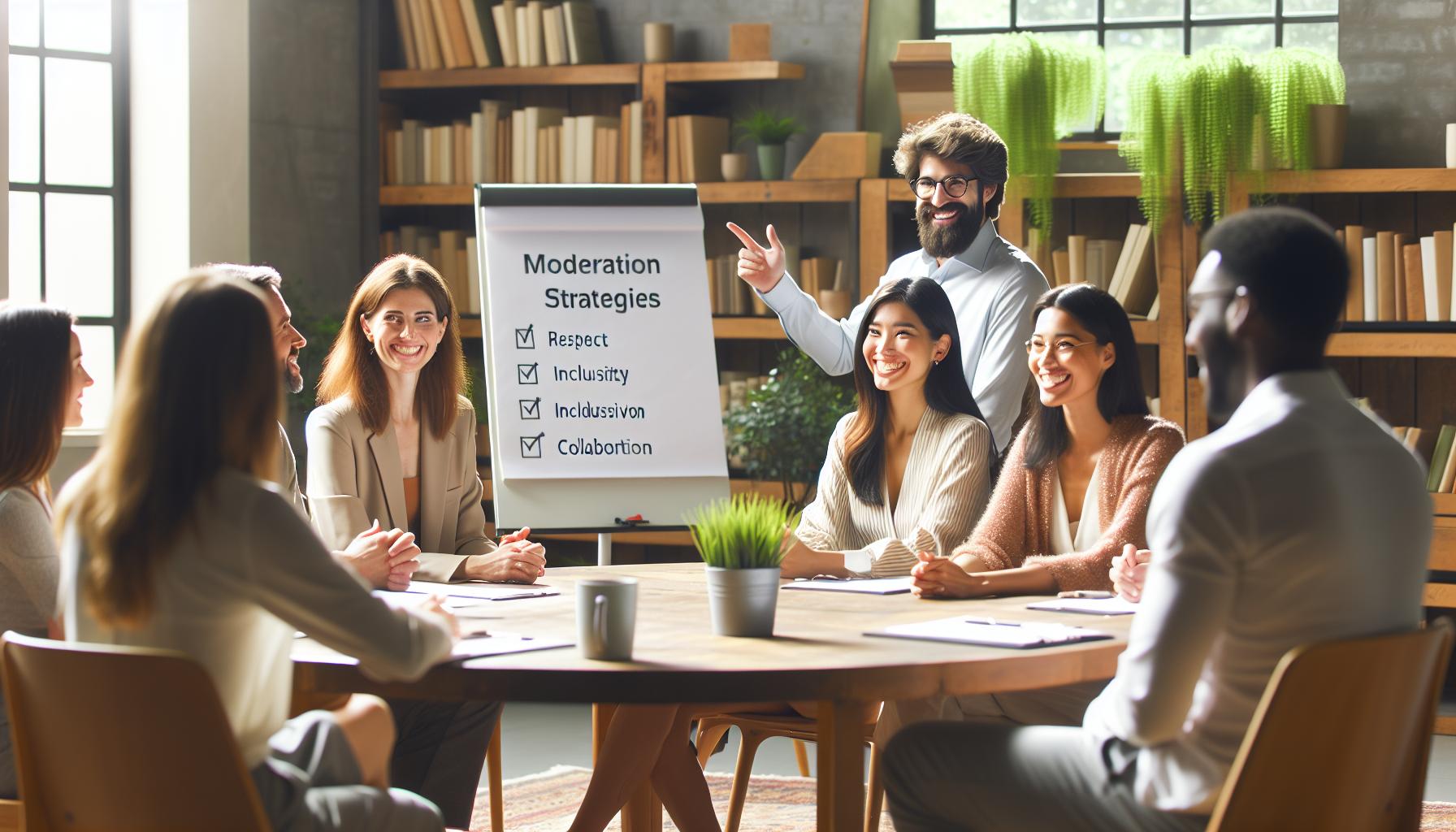
Moderation Strategies: Keeping Your Group Positive
Creating and maintaining a positive atmosphere in a Facebook group can be challenging, especially as more members join and discussions become more dynamic. However, effective moderation strategies can foster an inclusive and supportive environment that encourages open dialogue while deterring negativity. By approaching moderation with empathy and clear guidelines, you can set the tone for your community.
Set Clear Guidelines and Expectations
One of the foundational steps in moderation is to establish clear community guidelines that outline acceptable behavior. These guidelines should cover topics such as respect for others, types of acceptable content, and the consequences for violating the rules. Consider creating a pinned post that includes these guidelines for easy access.
- Be Respectful: Members should treat each other with kindness and understanding.
- Avoid Spam: Limit promotional content or irrelevant posts that could disrupt conversations.
- Stay on Topic: Ensure discussions remain relevant to the group’s purpose.
Encouraging members to familiarize themselves with these guidelines fosters a shared understanding and can significantly reduce conflicts.
Engage with Positivity
Active engagement is the heartbeat of any thriving Facebook group. As a moderator, your interactions set the tone for others. Responding positively to posts, celebrating member successes, and highlighting valuable contributions can create an encouraging atmosphere. Regularly ask open-ended questions to spark discussion and allow members to share their insights or experiences, reinforcing a culture of support.
When addressing potential conflicts, approach the situations delicately. Offer private messages to members who may have received negative feedback from others, providing constructive solutions while emphasizing your commitment to maintaining a positive environment.
Implement a Moderation Team
As your group grows, consider appointing a moderation team. Enlist a few trusted and active members to assist with the moderation process. This helps distribute responsibilities, making it easier to monitor group activities and ensure that guidelines are being followed. A diverse moderation team can bring varied perspectives, reducing burnout among moderators and creating a fairer process for all members.
Utilize Blocking and Reporting Features
Make members aware of Facebook’s built-in tools for dealing with negativity. Encourage them to use the “Report” function for inappropriate posts or comments, and remind them of the “Block” option for users who may repeatedly engage in negative behavior. By empowering members to take action when needed, you show that the group prioritizes a safe and respectful space for everyone involved.
Ultimately, effective moderation is about creating a space where every member feels valued and heard. With clear guidelines, positive engagement, and proactive strategies, you can cultivate a Facebook group that thrives on encouragement and respect, making it an enjoyable experience for all participants.
Dealing with Negative Comments and Conflicts
Navigating negative comments and conflicts in a Facebook group can feel overwhelming, but with the right approach, you can turn potential disputes into constructive conversations. Conflicts often arise in online spaces where individuals express differing opinions, and addressing these situations effectively is crucial for maintaining a healthy environment. Remember, the key lies in fostering open communication while ensuring that all members feel respected and heard.
Start by addressing negative comments promptly yet thoughtfully. Ignoring them can lead to escalation, while overreacting may alienate users. Consider responding with a calm and measured tone, acknowledging the concern. For example, if someone expresses frustration about group policies, you might say, “I appreciate your feedback, and I understand where you’re coming from. Let’s discuss this further to find a resolution together.” This approach not only diffuses tension but also shows that you value member input.
Encourage Private Resolution
Sometimes, conflicts can be more effectively resolved through private messages. When you notice a discussion becoming heated, reach out to the involved parties privately to mediate a resolution. This gives them a space to express their concerns without the pressure of an audience. During this conversation, encourage them to articulate their feelings and aim to facilitate a mutual understanding. Often, the act of listening sincerely can diminish animosity and build camaraderie.
Set a Reminder for Respectful Discourse
Revisiting the group’s guidelines can help reinforce acceptable behavior standards. When conflicts arise, gently remind members of these rules. For example, you could post a comment emphasizing the importance of respectful dialogue, stating, “Let’s remember to keep our conversations constructive and focused on solutions.” A simple refresher can redirect discussions towards a more positive path.
Highlight Positive Contributions
Always strive to shine a light on the positive aspects of group interactions. When members engage with respect, acknowledge these contributions publicly. This not only provides a rewarding experience for those involved but also sets a benchmark for others. For example, you might say, “Thank you, [Member’s Name], for your thoughtful response-it really added depth to our discussion!” Recognizing positive behavior can foster an atmosphere where members feel inspired to engage constructively.
Ultimately, dealing with negativity is not just about suppression; it’s about creating an environment that encourages respect, understanding, and problem-solving. By modeling constructive engagement and addressing issues head-on, you empower all members to contribute meaningfully and help foster a vibrant community.
Analyzing Post Performance: Tools and Metrics
To truly excel in a Facebook group, it’s essential to understand how your posts are performing. By analyzing post performance, you can refine your content strategy, enhance member engagement, and ultimately cultivate a vibrant community. Facebook provides a variety of tools and metrics to help you track how well your posts resonate with the audience. By leveraging these insights, you can make informed decisions that lead to more fruitful interactions.
Start by accessing Facebook Insights, which is available for group admins. Although Facebook has been updating its interface, the platform consistently offers metrics that can reflect your group dynamics. Here’s how to effectively analyze post performance:
Utilize Facebook Insights
- Engagement Metrics: Look at the number of reactions, comments, and shares your posts receive. High engagement usually indicates that your content is resonating with group members. Consider creating similar content when you notice a post has performed well.
- Reach and Impressions: These metrics show how far your posts have spread within and outside the group. A higher reach means more people are seeing your posts, while impressions indicate how many times your post has been displayed.
- Member Interaction: Pay attention to which members engage the most with your content. This can help you identify your most loyal members and understand what kind of content they value.
Tools to Analyze Performance
In addition to Facebook Insights, there are various external tools you can use. These may provide deeper analytics or help you spot trends over time. Consider these options:
- Social Media Management Tools: Platforms like Hootsuite or Buffer integrate Facebook group analytics, allowing you to view all your social media metrics in one place. These tools often provide visual representations of your data, making it easier to understand.
- Google Analytics: If you’re linking to external content (like a blog or a website) from your group posts, monitoring traffic through Google Analytics can offer insight into how effectively your Facebook posts are driving engagement off the platform.
- Surveys and Polls: Sometimes, numbers don’t tell the whole story. Directly ask your group members for feedback on what type of posts they enjoy or wish to see more of. Create polls to gather their preferences, which can also boost engagement.
Analyze and Adapt
Once you’ve gathered data, it’s crucial to analyze it periodically. Look for patterns-do videos perform better than graphics? Are longer posts more effective than shorter ones? By identifying trends, you can adjust your posting strategies. For instance, if you notice that members respond positively to posts that ask questions, you might integrate more interactive content aimed at sparking conversation.
Lastly, remember that maintaining a balance between data-driven strategies and genuine engagement is key. Regularly revisiting your group’s goals and the preferences of your members will not only enhance your post performance but also help you foster a nurturing and inclusive community atmosphere.
Tips for Encouraging Discussion and Interaction
To foster meaningful discussions and interactions within your Facebook group, it’s crucial to create an environment that encourages participation and values each member’s voice. The right approach not only enhances engagement but also builds a sense of community that keeps members coming back for more.
One effective strategy is to ask open-ended questions. Rather than simply prompting members to agree or disagree, frame your questions to invite deeper thoughts and experiences. For example, instead of asking, “Do you like this product?” consider asking, “What has been your experience with this product, and how has it changed your routine?” This invites storytelling and richer dialogue.
It’s also beneficial to share provocative or relatable content that resonates with your group’s interests. When a post strikes a chord, it can inspire members to share their views or similar experiences. Try sharing articles that stir emotions, sparking discussion among members about their opinions. A post that generates buzz can lead to vibrant conversations; be ready to engage in those discussions actively.
Another powerful tool is the use of polls and surveys to gauge member interests. By regularly creating polls related to topics your group enjoys, you not only collect valuable insights but also show members that their opinions matter. For instance, if you’re part of a book club group, you might ask, “Which genre should we explore next?” This not only drives engagement but also guides your future posts towards what truly interests your group.
To maintain momentum in conversations, be sure to interact with comments and responses. When members take the time to share their thoughts, acknowledge their contributions with thoughtful replies. This gesture can significantly elevate the conversation, prompting others to join in. If a discussion starts to dwindle, don’t hesitate to jump back in with follow-up questions or related insights to keep the dialogue alive.
Ultimately, creating a thriving community hinges on building relationships and making each member feel valued. By implementing these strategies, you empower your group members to engage confidently, thus enhancing the overall experience for everyone involved.
Advanced Posting Techniques: Polls, Events, and More
When it comes to maximizing engagement in your Facebook group, utilizing advanced posting techniques can significantly enhance interactions and keep your members intrigued. Tools such as polls, events, and other interactive features offer dynamic ways to engage your community, transforming your group from a simple discussion space into a vibrant hub of activity.
Engaging with Polls
Polls are an effective way to not only foster engagement but also gather insights into your members’ interests and preferences. Creating a poll is straightforward: simply hit the “Poll” option when composing a new post in your group and formulate your questions. Here are some tips to make your polls even more engaging:
- Keep it Relevant: Ensure the poll topic aligns with the overarching theme of your group. For instance, in a cooking group, you could ask, “What cuisine should we explore this week?”
- Limit Options: Although it might be tempting to include many choices, stick to a few specific options to make the decision-making process easier for members.
- Encourage Discussion: After members vote, prompt them to share why they chose their option. This encourages richer conversation and keeps the momentum going.
Organizing Events
Another powerful feature to tap into is Facebook Events. This tool allows you to organize virtual or in-person gatherings that can foster a deeper sense of community. Here’s how to create an event:
1. Go to your group and select “Events” from the Group menu.
2. Click on “Create Event.”
3. Fill in the details, such as the event name, date, time, and location (or specify if it’s online).
4. Add a compelling description to let members know what to expect and why they should attend.
Promoting events effectively can also boost participation. Share reminders as the event date approaches, and consider following up with a post-event discussion to keep the conversation flowing.
Utilizing Other Interactive Features
Aside from polls and events, Facebook allows you to use a range of other interactive features to keep your content fresh and engaging:
- Stories: Share quick updates or behind-the-scenes looks to keep your group feeling personal and connected. Stories disappear after 24 hours, creating a sense of urgency.
- Live Videos: Host live Q&A sessions or discussions to engage members in real-time. This can create a sense of immediacy and excitement.
- Questions: Post a question directly to your group to elicit feedback or personal experiences. This is different from a poll as it invites open-ended responses.
By strategically implementing these advanced posting techniques, you can create a more engaging experience for members in your Facebook group. Empower your community to connect, share, and discuss through dynamic interactions, cultivating a space where all voices are valued.
Frequently asked questions
Q: How can I make my posts on Facebook groups more engaging?
A: To make your Facebook group posts more engaging, include questions, use relatable language, and incorporate visuals that resonate with the audience. You can also encourage discussions by prompting members to share their thoughts or experiences. For more tips, see our section on “Crafting Engaging Posts.”
Q: What are the best times to post in a Facebook group for maximum visibility?
A: The best times to post in a Facebook group often depend on your audience’s activity patterns. Generally, weekends and weekday evenings see higher engagement. Experiment with different posting times and track performance metrics for optimal results. Check out “Timing Your Posts for Maximum Engagement” for detailed strategies.
Q: How do I respond to comments effectively in a Facebook group?
A: Responding effectively means acknowledging comments promptly, adding value to the conversation, and maintaining a friendly tone. Use personalized responses rather than stock replies. Engaging with members helps create a vibrant community. For more tips, see our section on “How to Respond and Interact Effectively.”
Q: What should I avoid when posting in a Facebook group?
A: Avoid posting overly promotional content, spamming, or violating group rules, which can lead to a negative community experience. Additionally, steer clear of controversial topics unless they’re relevant to the group’s purpose. Learn more about maintaining a positive atmosphere in our “Moderation Strategies” section.
Q: How can I analyze the performance of my posts in a Facebook group?
A: Analyzing your post performance involves using Facebook Insights to track engagement metrics like comments, shares, and reactions. This data helps you understand what resonates with your audience. For more guidance, see our “Analyzing Post Performance: Tools and Metrics” section.
Q: What types of content should I post to encourage discussions in a Facebook group?
A: To encourage discussions, post open-ended questions, polls, or share interesting articles relevant to the group. Additionally, highlighting member achievements or experiences can spark meaningful conversations. For more strategies, refer to our section on “Tips for Encouraging Discussion and Interaction.”
Q: How can I deal with negative comments in a Facebook group?
A: Address negative comments calmly and constructively by acknowledging the concern and offering solutions. If necessary, use group guidelines to remind members of community standards. For additional conflict resolution techniques, explore our “Dealing with Negative Comments and Conflicts” section.
Q: What advanced techniques can I use in Facebook group posts?
A: Advanced techniques include creating polls, hosting events, or using Facebook Live for real-time engagement. Utilize group features creatively to capture attention and foster a vibrant community. For more advanced strategies, check our section on “Advanced Posting Techniques: Polls, Events, and More.”
By using these tips and FAQs, you’ll enhance your Facebook group engagement and foster a thriving community. For more in-depth insights, be sure to refer back to our article on “How to Post in a Facebook Group: Share Like a Pro.”
Wrapping Up
Now that you know how to post in a Facebook group like a pro, it’s your turn to put these techniques into action! Remember, the key takeaways include understanding group dynamics, crafting engaging posts, and interacting with fellow members to build a vibrant online presence. Don’t wait-jump in and start sharing valuable content today to elevate your online interactions!
If you’re eager to deepen your Facebook skills, check out our guides on “Maximizing Engagement Through Facebook Live” and “Tapping into Facebook Stories for Business.” These resources will further enhance your understanding and strategy within Facebook’s diverse features.
For personalized tips, consider signing up for our newsletter, where we share exclusive insights and helpful tools to navigate Facebook confidently. Your journey to mastering Facebook engagement starts now! Share your thoughts below, and let’s keep the conversation going-your next great post is just around the corner!


